Choosing the right employee directory software is one of the fastest ways to improve team connection, transparency, and collaboration — especially in remote and hybrid workplaces. Modern tools go far beyond basic org charts. They centralize employee data, power AI-driven people search, automate milestone celebrations, and strengthen culture across distributed teams.
In this guide, we compare the 15 best employee directory tools, including GoProfiles, Pingboard, and ChartHop, to help you understand the difference between employee-first platforms and HR-first systems. You’ll see which tools offer AI-powered search, real-time org chart syncing, recognition features, mobile access, and deeper HRIS integrations — and which solutions fall short.
If you want an all-in-one platform that helps employees feel more connected while giving HR leaders trusted, accurate data, this breakdown will help you choose the best fit.
Key Takeaways
- Employee directory software is a centralized platform that helps employees quickly find coworkers, view job titles, and understand the organizational structure.
- It improves employee engagement, boosts transparency, and supports seamless integration with tools like Microsoft 365 and Slack.
- There are two main types: Employee-first tools (focused on engagement and connection) and HR-first tools (focused on managing employee data and compliance).
- The best solutions include interactive org charts, access control, detailed employee profiles, and AI-powered people search.
- GoProfiles leads the list for its user-friendly design, AI insights, and ability to manage employee connections across distributed teams.
What Is Employee Directory Software?
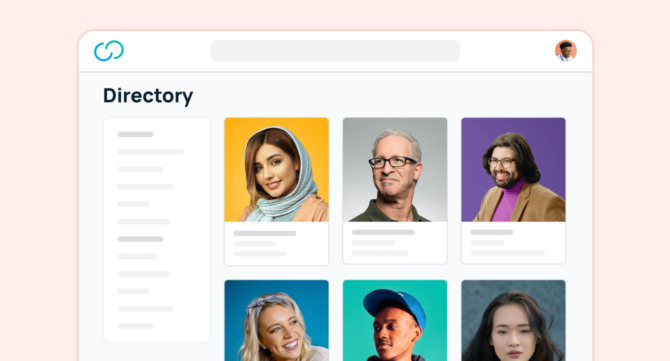
Employee directory software helps everyone in your company quickly find coworkers, learn job titles, and understand the full organizational structure. It replaces static spreadsheets or outdated phone lists with a centralized platform that stores accurate, searchable employee data.
This software lets teams explore detailed employee profiles — including photos, skills, interests, and contact details — so employees can connect more easily across departments. Many tools include built-in chat, recognition features, and seamless integration with everyday apps like Microsoft 365 and Slack.
In remote and hybrid workplaces, employee directory software plays a vital role in keeping teams connected and engaged. It turns company data into something human — helping people know who’s who, who does what, and how to reach them.
Key features of the best employee directory software
Here are some key features that you should look for when investing in employee directory tools:
- Centralized database: A centralized database allows HR teams to store, organize, and access employee information efficiently.
- Customizable profiles: This feature enables users to customize employee profiles with relevant details, including photo, job title, department, skills, and contact information.
- Search functionality: Robust search functionality enables users to quickly find specific employees or groups based on various criteria. For example, employees should have the ability to filter by unique employee attributes like skills and interests.
- Organizational charts: Interactive organizational charts provide visual representations of the company’s hierarchy and reporting structures.
- Employee map: An interactive map enables a dispersed workforce to visualize where everyone is located. Look for the ability to filter by employee location to tailor your results.
- Integration capabilities: Seamless integration with other HR software and tools for enhanced functionality and data syncs.
- Security measures: Advanced security measures ensure the integrity of employee data, such as role-based access control and encryption.
- Generative AI: With new AI technology, directory tools can enhance user experience by providing personalized recommendations, generating employee data insights, and automating tasks such as updating employee profiles.
Two Main Types of Employee Directory Software
1. Employee-First Experience Tools
These tools focus on helping employees connect, communicate, and celebrate wins. They’re user-friendly, social, and built to strengthen culture.
Employees can build customizable profiles, share interests, and recognize peers for their contributions. The result is a workplace where people feel seen, valued, and motivated.
Common features:
- Customizable employee profiles with photos and bios
- Peer recognition badges and kudos
- Interactive org chart and team maps
- Employee engagement analytics
2. HR-First Experience Tools
These focus on helping HR leaders manage employee information, track performance, and ensure compliance. They serve as the single source of truth for all employee data, with added security and access control features.
Common features:
- Centralized employee data and records
- HR reporting and analytics
- Performance tracking and planning tools
- Seamless integration with HRIS and payroll systems
Benefits of Employee Directory Software
1. Centralized Employee Data
A centralized platform keeps all employee data accurate and organized. Employees and managers can easily find profiles, contact details, and job titles in one place.
2. Better Collaboration
The ability to quickly find the right person reduces confusion and saves time. Whether you need help on a project or want to connect with someone in another department, you can do it in seconds.
3. Transparent Organizational Structure
Interactive org charts make the organizational structure clear. Everyone can see who reports to whom, which improves communication and accountability.
4. Faster Onboarding
New hires can browse the people directory, learn about their teammates, and become familiar with the company on their first day. It’s an easy way to make them feel included.
5. Higher Employee Engagement
When employees can celebrate milestones and share their achievements, morale improves. Recognition features turn simple profiles into powerful engagement tools.
6. Seamless Integration
Top tools sync with Microsoft 365, Slack, and popular HR platforms. This keeps employee data up-to-date without manual work.
7. Data Security
Built-in access control ensures that sensitive data is visible only to authorized users. Most platforms meet modern data protection standards.
8. Smart Insights
Analytics dashboards reveal engagement patterns and connection gaps, enabling leaders to make informed decisions about collaboration and culture.
Key Features to Look For
When choosing the best employee directory tools, look for these core features:
- Detailed Employee Profiles: Including bios, skills, roles, and social links.
- Interactive Org Chart: A user-friendly chart that visualizes team structure.
- People Search: Smart filters to quickly find anyone by name, title, or skill.
- Access Control: Protect sensitive employee data and maintain privacy.
- AI-Powered Search: To answer simple questions like “Who manages IT?” or “Where does Anna work?”
- Seamless Integration: Works with Slack, HRIS platforms, and other essential tools.
- Recognition Tools: Celebrate accomplishments with badges or shout-outs.
- Mobile Access: Keep your staff directory handy on phones and tablets.
- Analytics Dashboards: View engagement trends and profile activity.
Top 15 Employee Directory Software Tools for 2026
GoProfiles
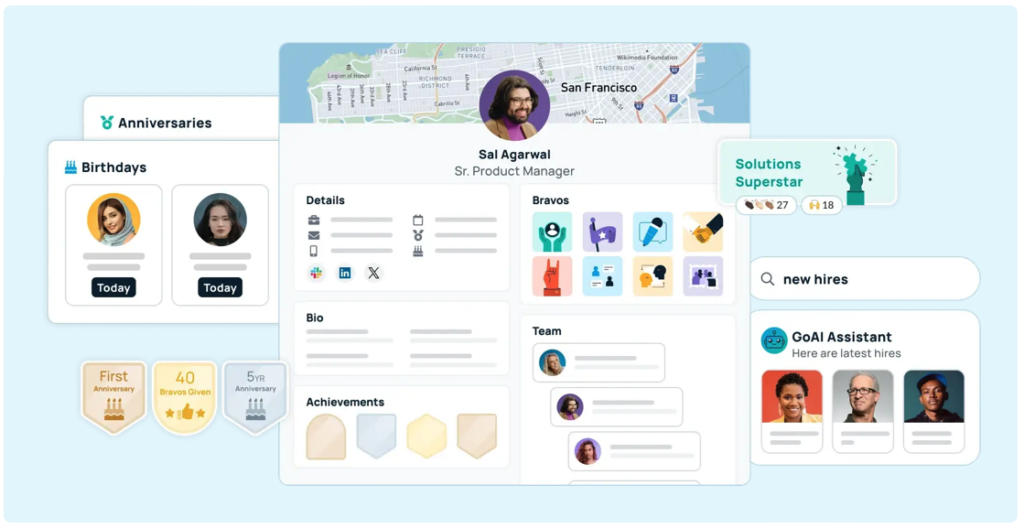
GoProfiles helps companies build stronger teams through connection, clarity, and transparency. It combines employee directory software with culture and engagement tools that make it easy to celebrate milestones, share updates, and strengthen relationships across distributed teams.
Each profile includes photos, bios, skills, interests, and recognition highlights. The AI assistant can also answer natural-language questions like, “What time zone is Julie in?” or “Who reports to Maria?”
Key Features
- Interactive org chart and employee map
- AI-powered people search
- Peer recognition and milestone celebrations
- HRIS + Microsoft 365 integrations
- User-friendly mobile experience
- Advanced analytics and access control
ChartHop
ChartHop provides a centralized database for managing employee information, helping HR teams with organizational charts, headcount planning, and reports. It’s powerful for people ops, but less focused on everyday employee experience.
Why Choose GoProfiles Over ChartHop
- Culture & Recognition Tools — More robust below-the-surface features: birthdays, work anniversaries, peer recognition shared across tools like Slack; better visibility of milestones.
- Employee-First UX — GoProfiles is built for all employees, offering dashboards for new hires, milestones, and peer recognition; ChartHop is more admin- and HR-focused.
- Generative AI Search & Discovery — Ask natural questions like “Who works in X?” or “Who likes Y?”, get instant people data. ChartHop doesn’t offer generative AI people search.
- Automatic Data Syncing from HRIS — GoProfiles auto-updates from HR systems to keep org charts, directory, and profiles current with less manual upkeep.
- Faster Adoption & Simpler Interface — Intuitive tools that employees can use immediately. ChartHop is more complex, with steeper learning curves.
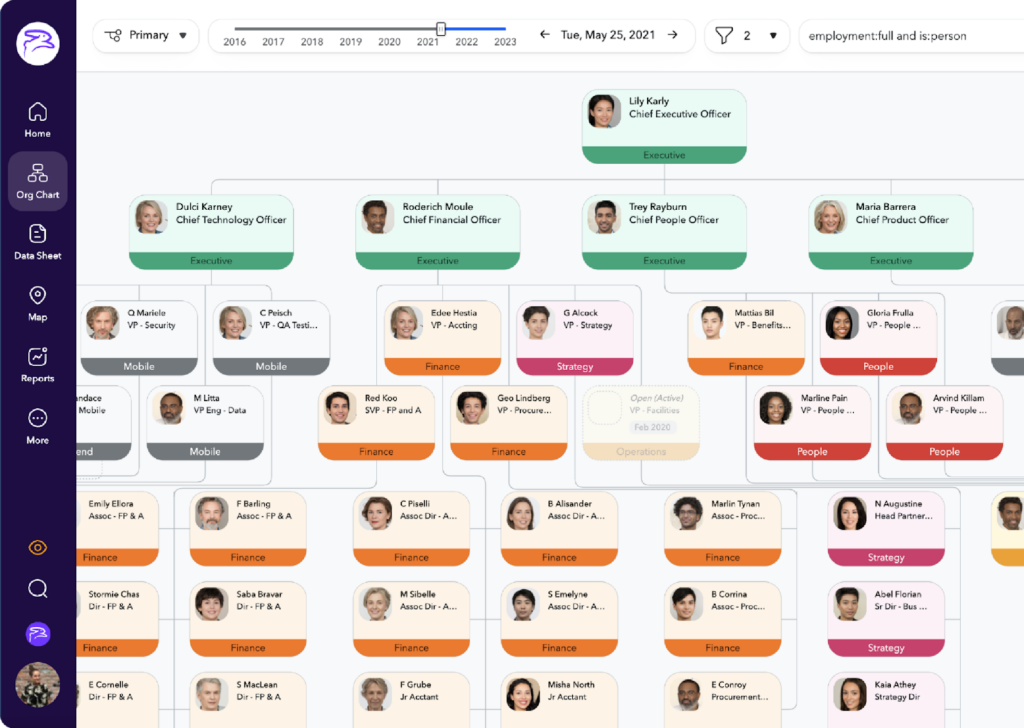
Pingboard
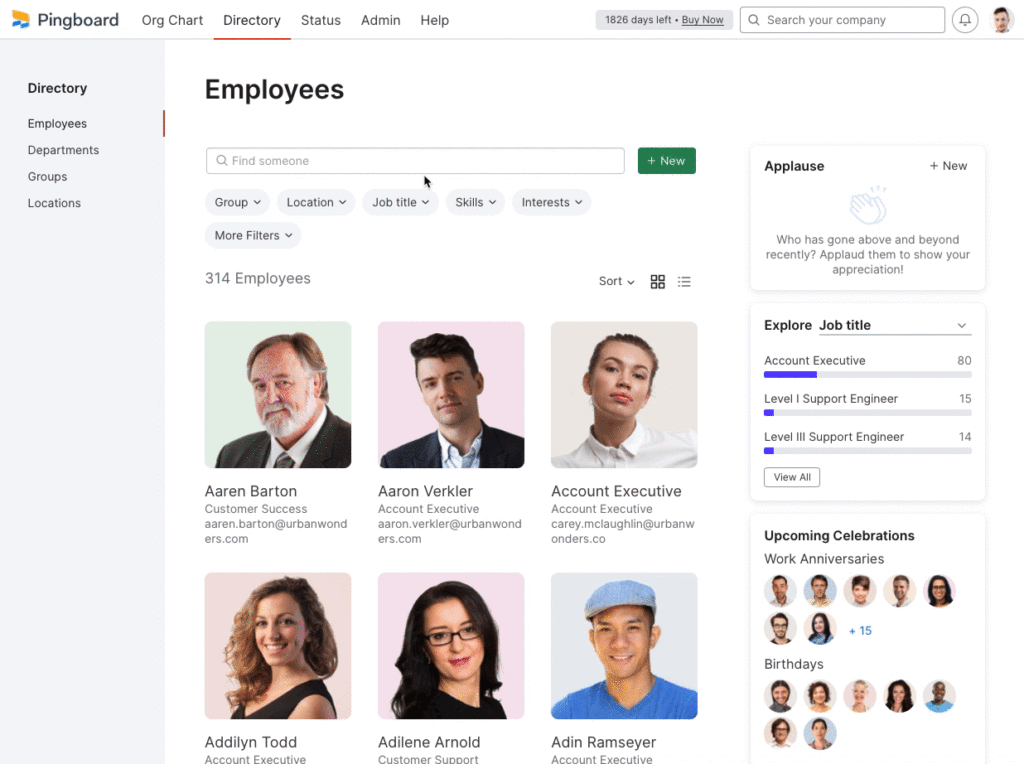
Pingboard is an employee directory software that centralizes and organizes employee information by displaying team structures, contact details, and organizational charts.
Key Advantages of GoProfiles vs Pingboard
- Culture & Employee Experience Tools (detailed comparison): GoProfiles offers additional features to help build culture—celebrations, milestone recognition, games to help coworkers connect, etc.
- Deeper HRIS Integrations: Connects with 100+ HR platforms for automatic syncing and richer employee profiles.
- AI-Powered People Search: Use natural language to find teammates by skills, projects, or interests.
- Advanced Analytics: Gain insights into org growth, engagement, and recognition trends.
- Enhanced Org Charts & Directories: Always-up-to-date, visual org charts that auto-sync with HR data.
- Stronger Culture Tools: Celebrate milestones, recognize peers, and boost connection company-wide.
- Modern, All-in-One Experience: Combines org management, analytics, and culture tools in one AI-driven platform.
GoProfiles vs. ChartHop vs. Pingboard: Side-by-Side Comparison
To help you see how the top platforms differ, here’s a clear comparison of the three most popular employee directory software tools — GoProfiles, ChartHop, and Pingboard. This table highlights their strengths across people search, org charts, integrations, analytics, culture-building, and more.
| Feature / Capability | GoProfiles | ChartHop | Pingboard |
|---|---|---|---|
| Primary Focus | Employee-first: connection, culture, AI-powered people search | HR-first: workforce analytics & planning | Employee directory + visual org chart |
| Employee Directory | ✅ Yes | ✅ Yes | ✅ Yes |
| Employee Profiles | ✅ Photos, bios, skills, interests, recognition | ✅ Profiles for HR data | ✅ Basic profiles |
| Employee Map | ✅ Yes | ✅ Yes | ❌ No |
| Interactive Org Chart | ✅ Real-time auto-sync | ✅ Analytics-focused | ✅ Visual org chart |
| Generative AI People Search | ✅ Yes — natural language | ❌ Not available | ❌ Not available |
| Recognition & Celebrations | ✅ Peer recognition, birthdays, anniversaries | ❌ Not provided | ❌ Not provided |
| Automated Milestones | ✅ Yes | ❌ No | ❌ No |
| Team-Building Features | ✅ Connection games & insights | ❌ No | ✅ Limited game |
| HRIS Integrations | ✅ 100+ HR systems | ✅ Major HRIS systems | ✅ Basic integration |
| Microsoft 365 Integration | ✅ Yes | ❌ Limited | ❌ Limited |
| Analytics & Insights | ✅ Engagement, recognition, growth insights | ✅ Workforce analytics | ❌ Limited |
| Mobile Experience | Mobile-friendly directory & org chart | ❌ No iOS mobile app | ✅ iOS mobile app |
| Ease of Use | Very intuitive for all employees | More complex; HR-focused | Simple, lightweight |
| Best For | Companies focused on connection, culture, and AI discovery | HR teams needing deep analytics | Teams needing a basic org chart & directory |
StaffBase
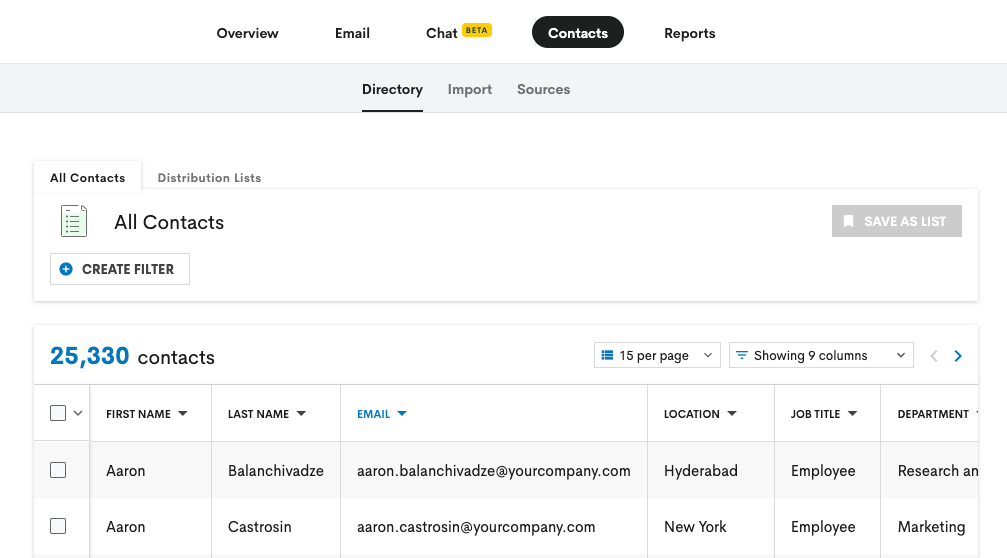
Staffbase is a digital workplace communication platform that includes a simple employee directory. It lists employees by name, location, job title, and department, making it easy for teams to find the right people across the organization.
BambooHR
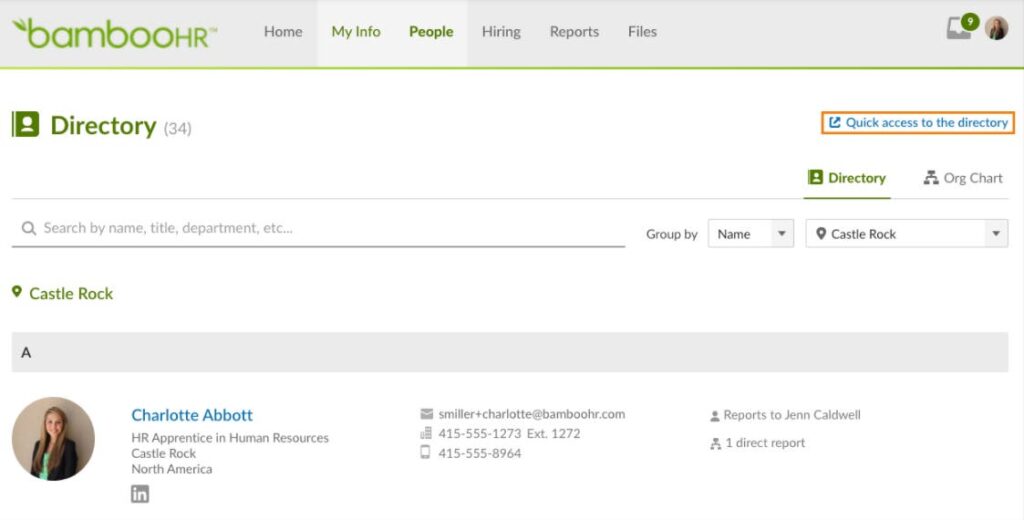
Designed for growing companies, BambooHR simplifies onboarding, PTO tracking, and employee data management.
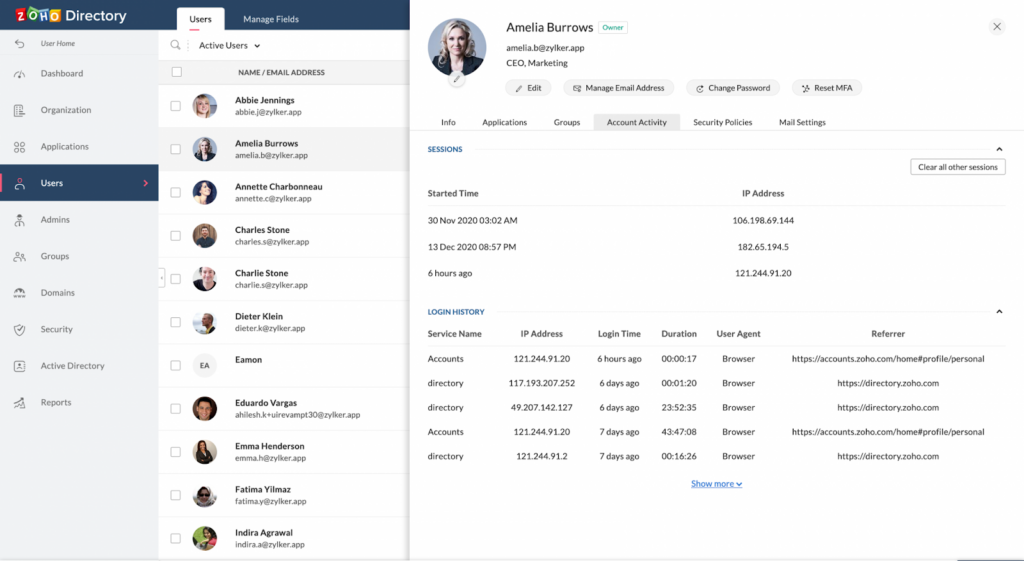
Zoho People
Zoho People is an HR management platform that includes a basic employee directory in list view. It helps organizations manage employee information, track attendance, run performance appraisals, and automate core HR processes.
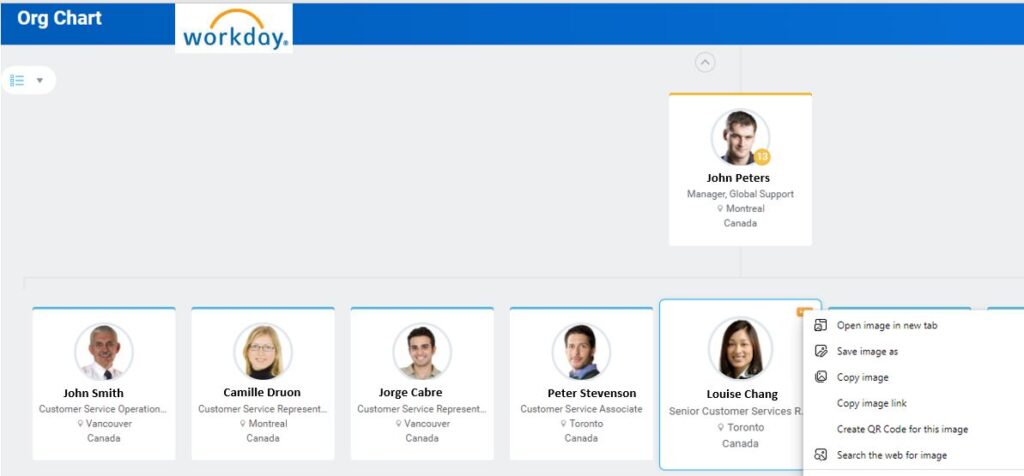
Workday
Workday is a comprehensive HR platform built for large organizations. It manages employee data, payroll, performance, and compliance, with a centralized directory that ensures accurate and accessible workforce information.
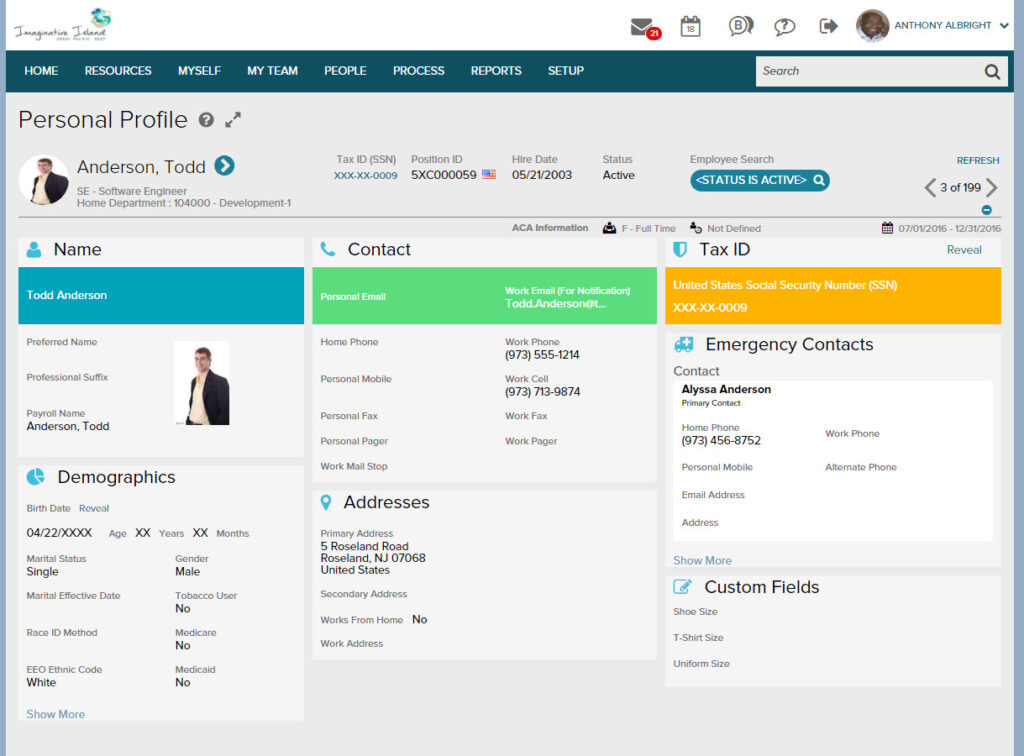
ADP Workforce Now
ADP offers payroll, benefits, and employee directory capabilities on one centralized platform.
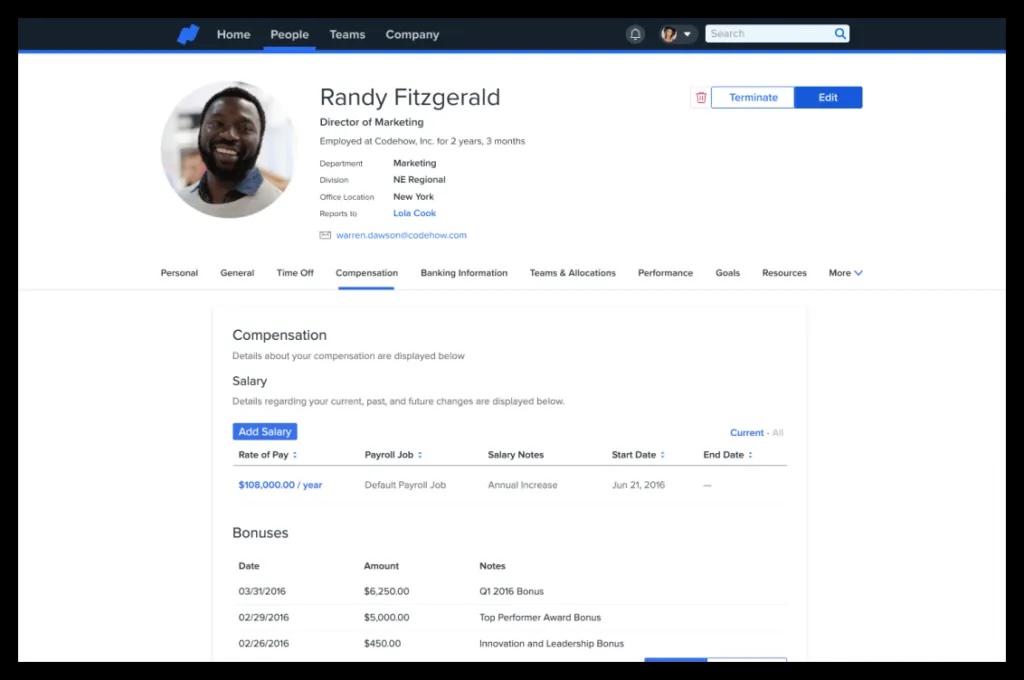
Namely
Namely is an HR platform that includes an employee directory along with social feeds and performance management tools. It’s designed to simplify HR processes while giving employees a central place to access people information and stay connected.
Rippling
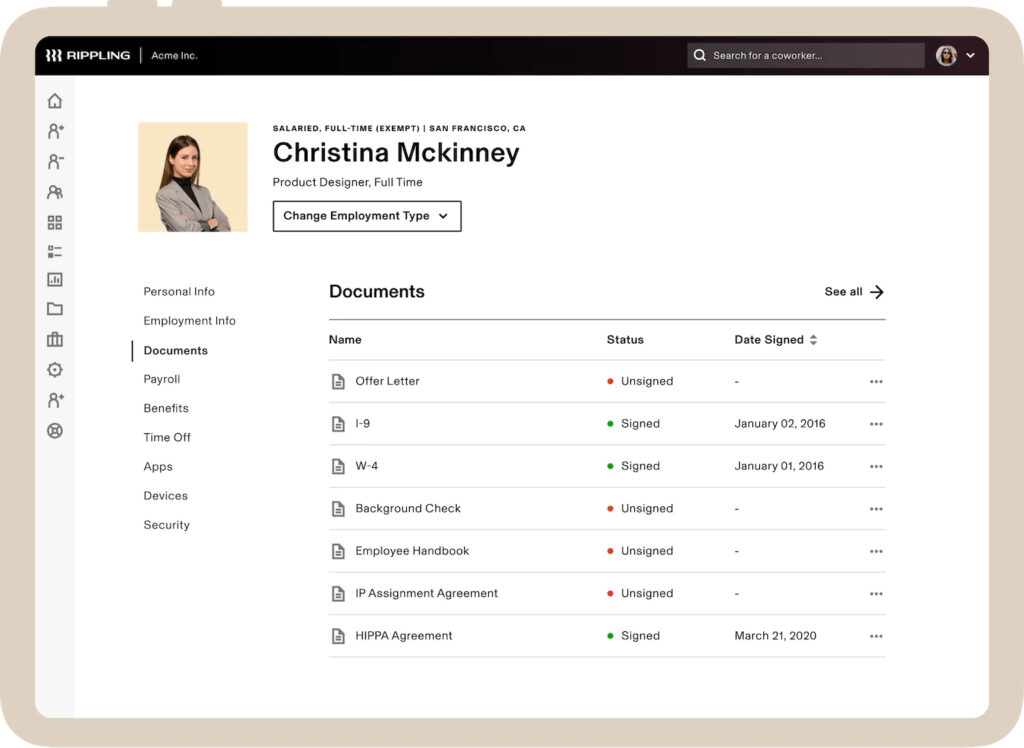
Rippling is an all-in-one platform for managing employees and IT, combining HR tools with device management and security. Its employee directory makes it easy to view roles, teams, and reporting structures alongside onboarding and compliance workflows.
Lattice
Lattice is a performance management and engagement platform with strong employee profile visibility and feedback tools. It helps organizations support development, track goals, and build high-performing teams.
Zenefits
Zenefits is an all-in-one HR solution that streamlines payroll, benefits, compliance, and core employee information. It’s designed for small and midsize organizations that want a simplified HR workflow.
Culture Amp
Culture Amp focuses on employee engagement and retention by combining surveys, feedback, and analytics. It helps organizations understand sentiment and improve culture through continuous insights.
15Five
15Five supports employee performance and connection through goal setting, check-ins, and recognition. It helps teams stay aligned and engaged through regular feedback loops.
TINYpulse
TINYpulse provides quick pulse surveys and lightweight recognition tools to help leaders gather real-time employee feedback. It enables teams to track sentiment and strengthen culture through ongoing insights.
Build a Connected Workplace with GoProfiles
The right employee directory software does more than list names — it helps people feel connected, informed, and valued. GoProfiles brings your organization together with a single, intuitive platform for employee data, org charts, recognition, and AI-powered people insights.
With GoProfiles, employees can easily explore teammates’ profiles, celebrate milestones, and understand how the organization fits together. HR teams gain a reliable, auto-synced source of truth that boosts efficiency, visibility, and engagement across the entire workforce.
If you’re looking for a modern, AI-powered directory that strengthens culture and connection, GoProfiles is a top choice.
Unlock a more connected workplace — see GoProfiles in action and get started today.
Build a culture of connection and recognition with GoProfiles
Schedule a demo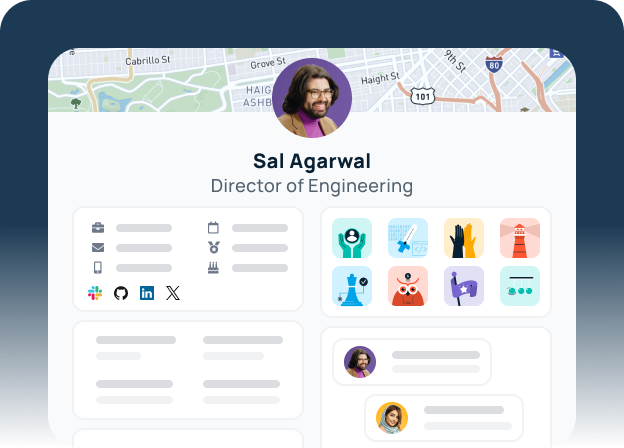
FAQs About Employee Directory Software
Yes. Many platforms scale with your team and offer affordable plans for smaller organizations.
Yes. Most tools provide seamless integration with Slack, Microsoft 365, and HRIS systems.
Trusted platforms use encryption and strict access control to protect sensitive employee data.
Yes. Features like employee maps, time zones, and AI search make it easy for employees to connect from anywhere.
It helps leaders identify skills, track progress, and align people with growth opportunities.