Employee directory software is a searchable system that helps employees find coworkers, understand organizational structure, and surface the right expertise — fast. It replaces static contact lists with connected, profile-driven data that gives everyone in the company real context: who does what, where they sit, and how to reach them.
This guide covers what employee directory software is and how it differs from org chart tools and broader HR platforms, which features separate platforms that get used daily from ones that get ignored, and how to evaluate the leading tools — including GoProfiles, ChartHop, and Pingboard — based on your organization’s actual needs.
GoProfiles vs. ChartHop vs. Pingboard
These three platforms come up most often in employee directory software evaluations — but they’re built for meaningfully different use cases. Here’s how they compare on the features that matter most for daily use.
| Feature | GoProfiles | ChartHop | Pingboard |
| Primary Focus | Employee connection, culture & AI discovery | Workforce analytics & HR planning | Org chart visualization |
| AI-Powered People Search | Yes — natural language | No | No |
| Peer Recognition & Milestones | Yes | No | No |
| Org Chart | Real-time auto-sync | Analytics-focused | Visual |
| HRIS Integrations | 100+ systems | Major systems | Basic |
| Microsoft 365 | Yes | Limited | Limited |
| Mobile | Yes | No iOS app | Yes |
| Ease of Use | Intuitive for all employees | Complex; HR-focused | Simple |
For a deeper look at how these platforms compare, see the full breakdowns: GoProfiles vs. ChartHop and GoProfiles vs. Pingboard.
Why Employee Directory Software Has Changed
Static directories were built for a different era. They require manual updates, go stale within weeks, and offer no way to search by skills, location, or team context. In a distributed or hybrid workplace, that’s not a minor inconvenience. It’s a structural gap in how people find each other and get work done.
Modern teams need people discovery tools connected to live data, searchable by more than just name, and intuitive enough that employees actually open them without being prompted. The HR technology market is responding accordingly.
According to the GoProfiles State of HR 2026 Survey of more than 400 HR leaders, nearly 50% expect their budgets to grow in 2026, and over 56% are actively investing in AI automation tools or building full AI-powered ecosystems. The market has moved past debating whether to modernize people technology. The question now is which platforms to build around.
Employee directory software today is less about storing names and phone numbers and more about making your workforce intelligible — to HR leaders, to new hires, and to the employee who just needs to figure out who to talk to.
What Is Employee Directory Software?
Employee directory software is a centralized platform that stores, organizes, and surfaces employee data in a searchable, profile-driven format. Core capabilities typically include:
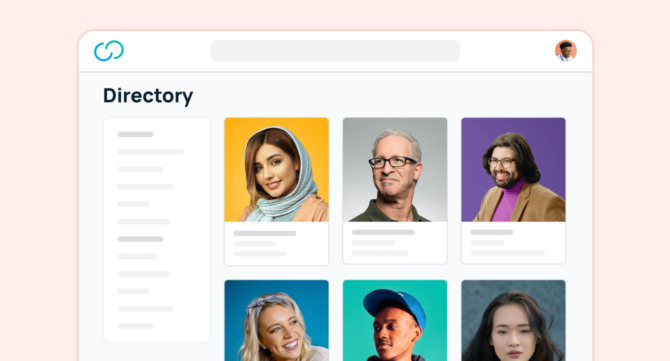
- Employee profiles with photos, bios, roles, skills, and contact information
- Search and filtering by name, department, location, skill, or interest
- Organizational visibility through interactive org charts and reporting structures
- Integration with HR systems to keep data accurate without manual upkeep
- Access controls to protect sensitive employee information
The best platforms go further — layering in AI-powered search, peer recognition, onboarding experiences, and analytics that help leaders understand how the organization is connected.
Employee Directory Software vs. a Company Contact List
A contact list gives you a name, an email, and maybe a phone number. Employee directory software gives you context — where someone sits in the organization, what team they’re on, what skills they bring, and how to reach them through the tools you already use.
The practical difference: a contact list answers “how do I reach this person?” A modern employee directory answers “who is the right person to contact, and why?”
Employee Directory Software vs. Org Chart Software
Org chart software visualizes hierarchy — reporting lines, team structures, spans of control. It’s useful for understanding organizational design, but it stops there.
Employee directory software includes org chart functionality and adds searchable profiles, skills discovery, cross-functional context, and integrations that make it a daily-use tool — not a reference diagram you open once a quarter.
Employee Directory Software vs. Broader HR Platforms
Platforms like Workday, BambooHR, and ADP Workforce Now manage the full employee lifecycle — payroll, benefits, compliance, performance, and records. They often include a directory component, but it’s rarely the focus and it shows.
Dedicated directory platforms like GoProfiles are built specifically for people discovery, connection, and visibility. For teams whose primary need is making their workforce navigable and connected, a purpose-built tool consistently outperforms a buried feature inside a payroll suite.
Who Needs Employee Directory Software
Employee directory software is often purchased by HR, but it’s actually cross-functional infrastructure. Every department benefits when people can find each other quickly and understand how the organization is structured.
HR and People Ops
HR teams use employee directories to maintain a reliable, accessible source of people data without spending time on manual updates. Directory software reduces the volume of “who handles X?” questions that land in HR inboxes and gives People Ops leaders real-time visibility into organizational structure, headcount, and team composition.
The strategic case is clear. According to the GoProfiles State of HR 2026 Survey, 54.9% of HR leaders see their role evolving into a strategic partner via technology and data, with another 26.6% focused on tech-enabled experience design. More than 80% see technology as central to HR’s future — which means directory software isn’t just an IT purchase for this group. It’s a foundational part of how HR delivers value across the organization.
Recognition and milestone features — birthdays, work anniversaries, peer shout-outs — give HR teams tools to support culture at scale without requiring individual coordination.
IT and Internal Systems Teams
For IT, the value of employee directory software is largely about integration and data reliability. A well-connected directory reduces the friction of provisioning access, managing offboarding, and maintaining accurate identity context across internal systems. Platforms that sync automatically with HR systems reduce the risk of employees having access they shouldn’t — or not having access they need.
Internal Communications and Operations
Communications and ops teams use directories to support onboarding, coordinate across departments, and maintain a navigable picture of the organization. A new hire who can browse the employee directory on day one — finding teammates, understanding org structure, and learning who to contact for what — ramps up faster and feels more included from the start.
Employees and Managers
For day-to-day employees and managers, the value is straightforward: find the right person, faster. Whether you need help on a project, need to reach someone in another time zone, or are trying to understand how a team is organized, a good directory removes the friction of navigating a large or distributed organization.
For managers, built-in analytics add a layer of strategic value. The GoProfiles State of HR 2026 Survey found that only 21.9% of organizations have reached real-time strategic analytics maturity, while the majority remain at basic reporting (27.1%) or compliance-only (15.9%). Platforms with analytics built in — rather than bolted on — give managers and HR leaders a meaningful edge over where most organizations currently operate.
Core Features to Look For
Not all employee directory tools deliver the same value in daily use. These are the capabilities that separate platforms employees return to from ones that go ignored after the first week.
Searchable Employee Profiles
The profile is the foundation of any directory. Look for platforms that support rich profiles — not just job title and email, but skills, interests, languages, location, time zone, and role history. The more context a profile contains, the more useful the directory becomes for expertise discovery, cross-functional collaboration, and onboarding.
Customizable fields matter here. Teams have different data needs, and a rigid profile template won’t capture what makes your workforce unique.
AI-Powered People Search
Natural-language search is one of the most meaningful advances in this category. Instead of knowing exactly who you’re looking for, you can ask questions like “Who on the marketing team speaks Spanish?” or “Who manages IT?” and get an accurate answer immediately — no filters, no browsing.
The demand is real, but the delivery gap is wide. According to the GoProfiles State of HR 2026 Survey, nearly 1 in 4 organizations are already integrating AI end-to-end across the employee lifecycle, yet only 21.4% have reached hyper-personalized AI experiences for employees. Most HR technology is still catching up — which makes AI-powered people search a genuine differentiator for the platforms that have built it, not a standard feature buyers can assume is included.
Org Chart Visibility
Interactive org charts give employees a visual map of the organization. Look for charts that update automatically when HR data changes, display cross-functional relationships, and are navigable enough for everyday exploration — not just static PDFs that go stale after the next reorg.
Real-time syncing between the org chart and the underlying HR system matters more than most buyers anticipate. Manually maintained org charts are typically out of date within weeks of a structural change.
Integrations and Automatic Updates
The biggest driver of data quality in any employee directory is how it connects to source systems. A directory that requires manual updates will fall behind organizational reality quickly — and a directory full of stale data is often worse than no directory at all, because it erodes trust in the tool.
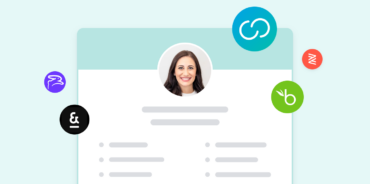
Evaluate how deeply a platform integrates with your HRIS, identity management systems, and communication tools like Slack and Microsoft 365. The best tools pull data automatically from HR systems and surface it in the workflows employees already use.
Permissions and Profile Controls
Not all employee data should be equally accessible. Role-based access controls let organizations define who can see what — protecting sensitive information like compensation history or personal contact details while keeping the directory open and useful for everyday discovery.
Look for platforms that also give employees some control over their own profiles. Employee-maintained profiles tend to be more accurate and more complete than ones managed entirely by HR.
Employee Experience and Adoption
The most capable directory platform delivers no value if employees don’t use it. Platforms built primarily for HR administrators — dense interfaces, complex navigation, no reason for a regular employee to log in — tend to see poor adoption outside the People Ops team.
Tech-driven engagement strategies increasingly depend on tools employees genuinely want to open, not ones they’re required to log into for HR transactions. Recognition features, milestone celebrations, and connection tools aren’t extras — they’re what turns a directory into a daily habit.
Top 15 Employee Directory Software Tools for 2026
1. GoProfiles
Best for: Companies focused on connection, culture, and AI-powered people discovery
GoProfiles is purpose-built for the employee experience — combining a modern directory with culture and engagement tools that make distributed teams feel more connected. Where many directory tools are maintained by HR and rarely visited by employees, GoProfiles is designed to become a daily touchpoint for the entire organization.
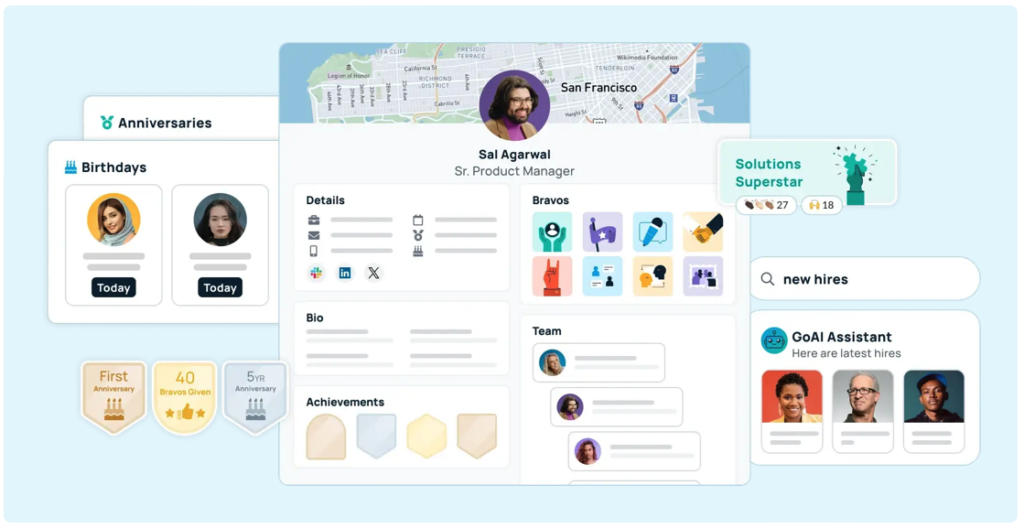
Each employee profile includes photos, bios, skills, interests, reporting structure, and a recognition history showing recent peer kudos and milestone achievements. The platform’s AI assistant answers natural-language questions — “What time zone is Julie in?”, “Who on the design team knows Figma?”, “Who reports to Marcus?” — without requiring users to navigate filters or menus.
Key Features:
- AI-powered natural-language people search
- Interactive, real-time org chart with automatic HRIS sync
- Peer recognition, kudos, and milestone celebrations (birthdays, work anniversaries)
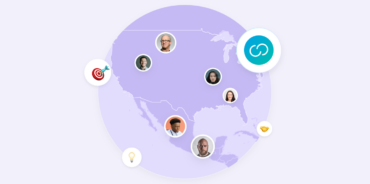
- Employee map showing geographic distribution with time zone context
- Integrations with 100+ HRIS platforms and Microsoft 365
- Team-building features including connection games and engagement insights
- Mobile-friendly interface for field and frontline employees
- Advanced analytics covering recognition trends, engagement patterns, and org growth
What sets it apart: GoProfiles is one of the only platforms in this category to offer generative AI people search. It’s also notably employee-first — recognition features, milestone automations, and connection tools give employees a reason to return regularly, not just when they need to look someone up.
Best fit: Distributed or hybrid teams that want to improve how employees discover each other, celebrate wins, and stay connected to the organization’s people and culture.
2. ChartHop
Best for: HR teams needing workforce planning and deep organizational analytics
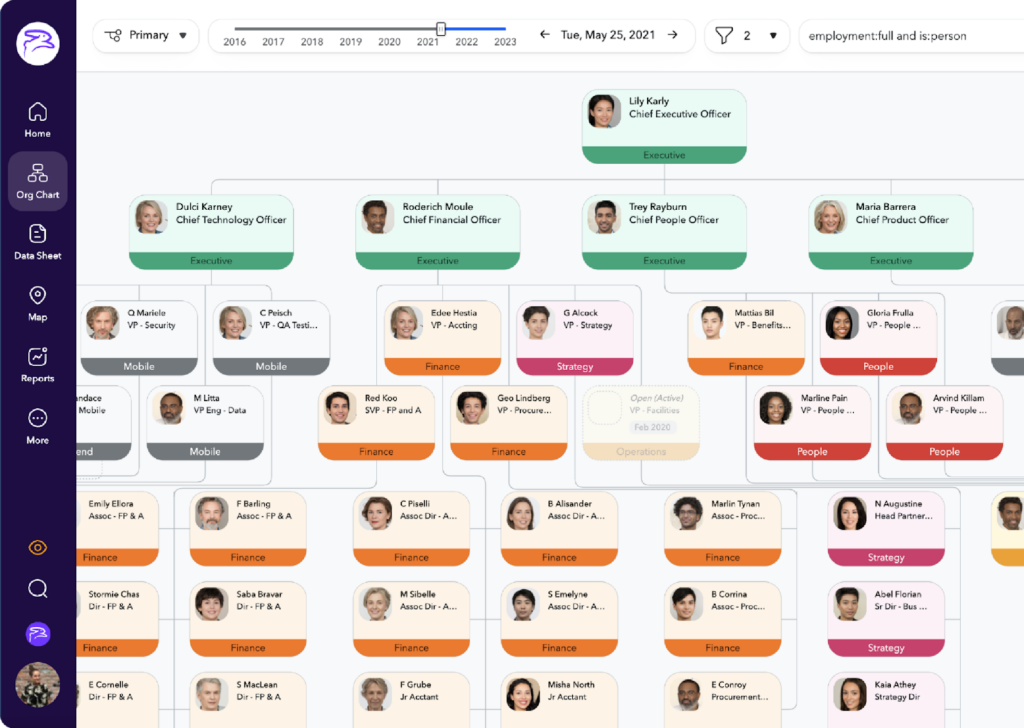
ChartHop is a people analytics and workforce planning platform that includes employee directory functionality as part of a broader HR data hub. It’s designed primarily for HR and People Ops leaders who need to model headcount, track organizational change over time, and generate reporting across the workforce.
The platform provides a centralized database for employee records, interactive org charts with scenario-planning capabilities, and robust analytics dashboards. HR teams can use ChartHop to visualize how the organization has changed, model future structures, and surface compensation and headcount insights.
Key Features:
- Org chart with historical views and scenario modeling
- Centralized employee data repository for People Ops
- Workforce analytics and headcount reporting dashboards
- Compensation and equity management tools
- Integrations with major HRIS systems (Workday, BambooHR, Rippling, and others)
- Custom data fields and HR reporting workflows
- Compensation band visualization and planning tools
What it lacks: ChartHop’s depth comes with trade-offs. The platform is designed for data-driven HR workflows, which means a steeper learning curve and implementation process than most employee directory tools require. Daily adoption tends to stay concentrated among HR and leadership rather than spreading across the full workforce — which limits the value of directory and org chart features that depend on broad employee engagement. It also does not offer generative AI people search, peer recognition, or milestone features.
Best fit: People Ops teams at mid-to-large organizations that need a workforce analytics platform with strong org chart and compensation planning capabilities. Teams whose primary need is improving how employees find and connect with each other will find a purpose-built alternative to ChartHop better suited to that goal.
3. Pingboard
Best for: Teams that need a clean, simple org chart and basic employee directory
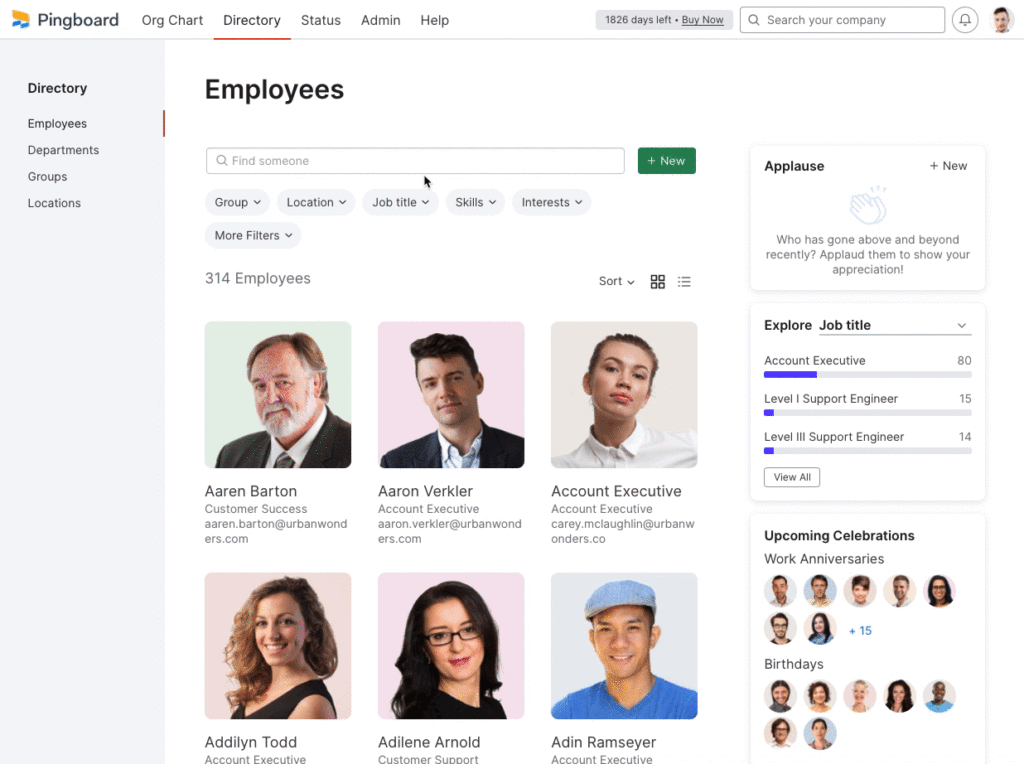
Pingboard focuses on org chart visualization and a lightweight employee directory. It’s straightforward to set up, easy to navigate, and gives organizations a clear view of their reporting structure and team composition without requiring significant implementation effort.
Employees can browse the org chart, view basic profile information, and see who reports to whom. Pingboard also includes a simple “Who’s Who” quiz to help employees learn faces and names — a useful feature for growing companies and new hires in their first weeks.
One important context for buyers evaluating Pingboard today: the platform was acquired by Workleap, and a number of users have reported changes to the product experience following that transition — including data inconsistencies, reduced admin control, and provisioning workflows that have become less reliable. Teams that previously found Pingboard easy to manage describe a noticeably different experience post-acquisition. It’s worth factoring into any evaluation.
Key Features:
- Visual, navigable org chart
- Basic employee profiles with role, team, and contact info
- iOS mobile app for on-the-go directory access
- “Who’s Who” connection game for new hire onboarding
- Slack integration for surfacing employee data in channels
- Status indicators showing availability and out-of-office information
- Basic HRIS sync capabilities
What it lacks: Pingboard offers limited HRIS integration depth compared to GoProfiles, no generative AI people search, no peer recognition or milestone features, and minimal analytics beyond basic directory activity. It’s a focused tool for a specific use case — org visualization — and isn’t designed to serve as a culture or engagement platform.
Best fit: Smaller teams that primarily need a visual org chart and simple people lookup. Teams running into limitations post-acquisition, or those that need deeper integrations and engagement features, will find a more fully featured Pingboard alternative worth evaluating.
4. Staffbase
Best for: Companies building a broader digital workplace communication hub
Staffbase is a digital workplace communication platform that includes employee directory functionality as part of a larger internal comms suite. It’s designed for large enterprises — particularly those with frontline, deskless, or multilingual workforces — that need to centralize company news, policies, and people information in one accessible place.
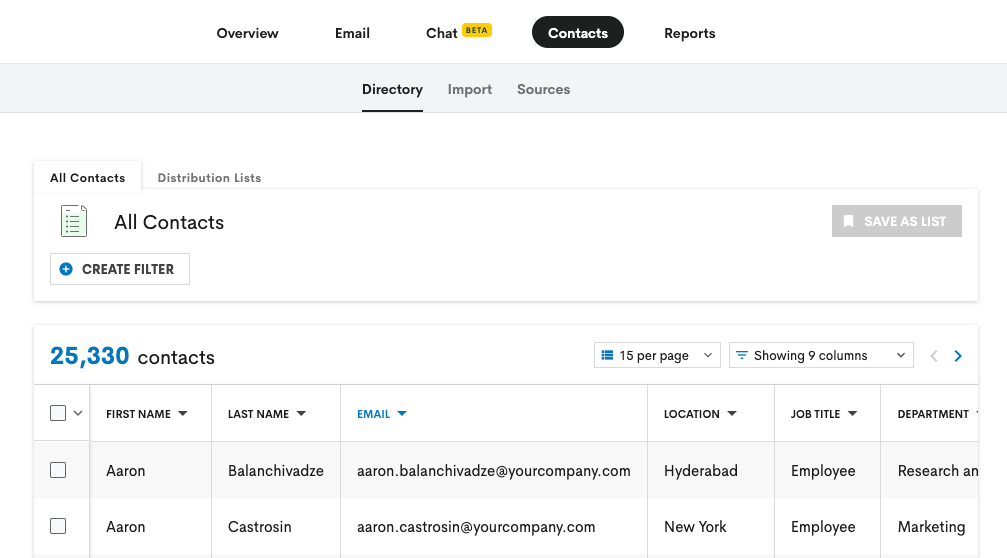
The directory component allows employees to find coworkers by name, location, department, and job title. It’s integrated into a wider platform that includes a mobile app, intranet pages, news feeds, and push notification capabilities.
Key Features:
- Employee directory integrated into a broader intranet platform
- Mobile app with push notifications for frontline worker access
- Multi-language support for global and multilingual teams
- Company news, announcements, and content management
- Analytics on content reach and employee engagement
- SSO and identity management integrations
- Customizable branding for a company-specific experience
What it lacks: The directory is a supporting feature within Staffbase, not the core product. Organizations looking specifically for a best-in-class people search and org chart experience will find deeper functionality in dedicated directory platforms. Recognition and engagement features are more limited compared to GoProfiles.
Best fit: Large enterprises — especially those with significant frontline or distributed workforces — that want to combine internal communications, mobile access, and basic people discovery in a single platform.
5. BambooHR
Best for: Small and mid-sized companies managing core HR processes with a built-in directory
BambooHR is an HR platform built for growing organizations. It handles onboarding, PTO tracking, performance management, and employee data management — and includes a searchable employee directory as part of the core product.
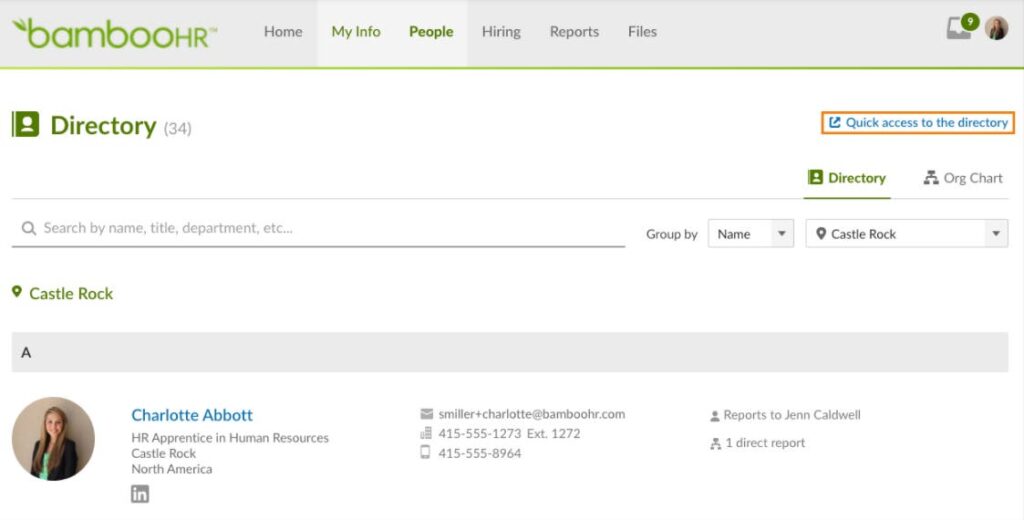
The directory in BambooHR surfaces employee photos, contact information, job titles, and department data. It’s well-integrated with the rest of the platform, so employee data updated in BambooHR flows through to the directory without additional maintenance.
Key Features:
- Searchable employee directory with photos and contact details
- Employee profiles connected to core HR data (PTO balances, start dates, documents)
- Onboarding workflows and self-service tools for new hires
- Performance management and goal tracking
- PTO tracking and approval workflows
- Mobile app for employee self-service
- Integrations with payroll providers, ATS platforms, and benefits systems
What it lacks: BambooHR’s directory is useful but relatively basic — it’s a feature of an HR platform, not a standalone people discovery tool. It lacks AI-powered search, advanced org chart visualization, peer recognition, and the engagement features that drive daily adoption beyond HR transactions.
Best fit: Small to mid-sized organizations that need a solid HR system and want a usable directory included in the package, without requiring a dedicated people discovery platform.
6. Zoho People
Best for: Organizations already in the Zoho ecosystem that need HR and directory in one place
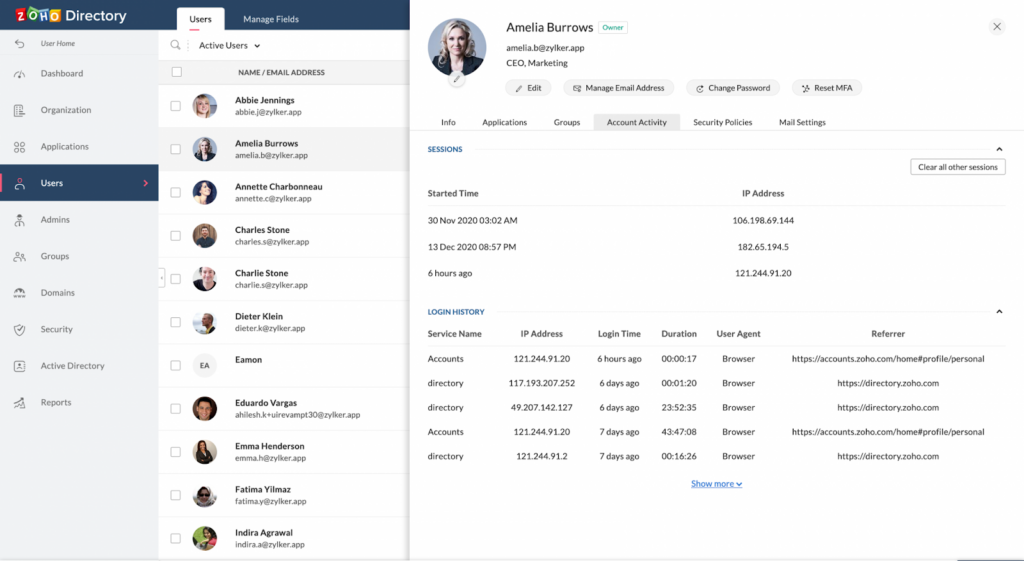
Zoho People is a cloud-based HR platform that covers attendance tracking, leave management, performance appraisals, and employee data — with a basic employee directory included. Like BambooHR, the directory is a component of a broader HR system rather than a dedicated people discovery tool.
The directory displays employees in a list or card view, filterable by department and location, with profile information pulled from HR records.
Key Features:
- Employee directory integrated with HR records
- Attendance and leave tracking
- Performance appraisal tools and goal-setting
- Self-service portal for employees to update their own information
- Custom form builder for HR workflows
- Mobile app with HR self-service features
- Deep integration with the broader Zoho product suite (CRM, Desk, Analytics)
What it lacks: Zoho People’s directory is functional but minimal — no AI search, no org chart visualization, and no recognition features. For teams whose primary goal is improving how employees connect and discover each other, it falls well short of purpose-built directory platforms.
Best fit: Organizations already using other Zoho products that want an integrated HR tool without purchasing a separate platform.
7. Workday
Best for: Large enterprises that need a comprehensive HR system with directory as one component
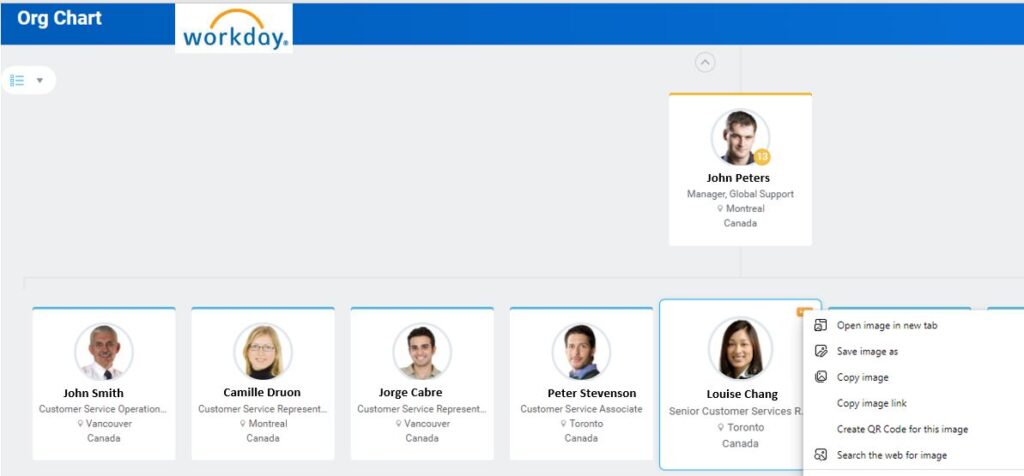
Workday is one of the most widely deployed enterprise HR platforms in the world. It manages payroll, benefits, talent management, compliance, and workforce planning at scale — and includes a centralized employee directory that ensures accurate, accessible workforce information across large organizations.
Workday’s directory is deeply connected to the rest of the platform’s HR data, meaning employee records, roles, reporting structures, and location data are always current. The org chart visualization is functional and well-integrated, though it’s built for HR navigation rather than everyday employee discovery.
Key Features:
- Enterprise-grade employee database and directory
- Integrated org chart tied to live HR records
- Advanced workforce analytics and planning tools
- Payroll, benefits, and compliance management
- Talent and performance management modules
- Robust security and access controls for large organizations
- Extensive integration ecosystem across enterprise systems
What it lacks: Workday is built for enterprise HR administration. Its directory functionality is accurate and reliable, but it’s not designed to be a culture or engagement platform. Employees looking for a modern, engaging people discovery experience will find dedicated tools like GoProfiles more intuitive and useful for daily tasks.
Best fit: Large enterprises that need a comprehensive HR system of record and want directory functionality included as part of that platform.
8. Rippling
Best for: Fast-growing companies that want HR and IT management on a unified platform
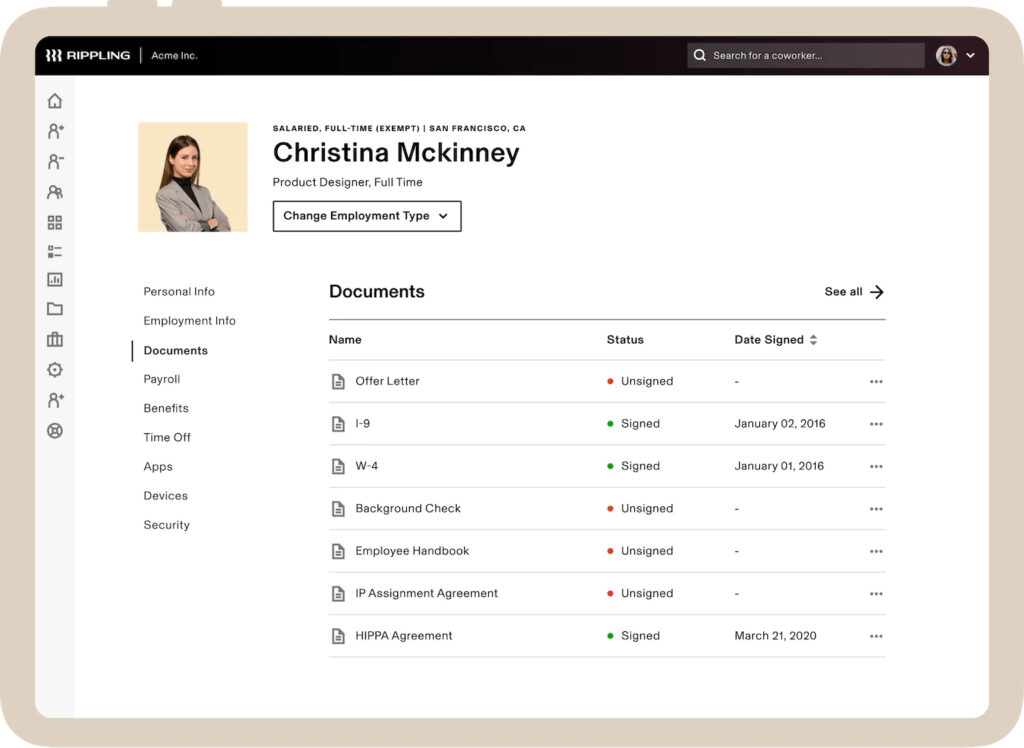
Rippling is unusual in the HR software category because it combines people management with IT administration — covering HR, payroll, benefits, device management, and app provisioning on a single platform. Its employee directory sits within this unified system, surfacing roles, teams, and reporting structures alongside onboarding and compliance workflows.
The directory is well-integrated with Rippling’s IT capabilities, meaning that when someone is hired, changes roles, or leaves, both HR records and IT access are updated in sync.
Key Features:
- Employee directory integrated with HR and IT management
- Automated onboarding that provisions HR data and IT access simultaneously
- Payroll, benefits, and compliance tools
- Device management and app provisioning alongside HR workflows
- Org chart visualization with reporting structures
- Strong HRIS integration and API access
- Workflow automation for HR and IT processes
What it lacks: Like other HRIS-first platforms, Rippling’s directory is functional but not built for employee engagement or people discovery. It doesn’t offer AI-powered search, peer recognition, or the culture tools that drive daily employee adoption beyond HR transactions.
Best fit: Tech-forward companies that want to consolidate HR and IT management on one platform, and where directory is a supporting feature rather than the core need.
9. Namely
Best for: Mid-sized companies that want HR with social features and a modern interface
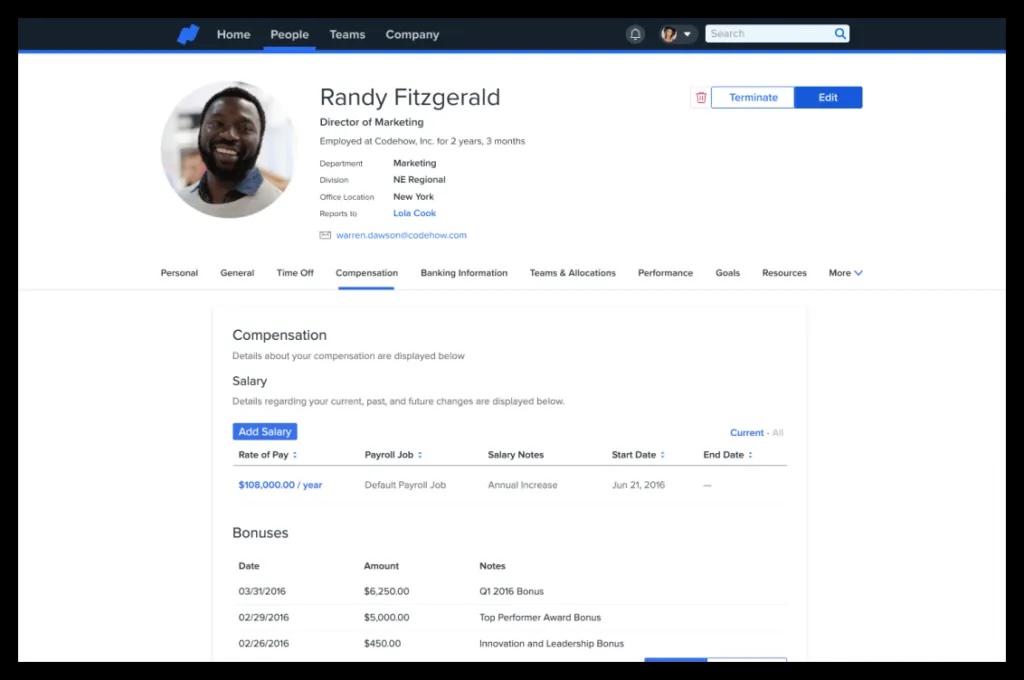
Namely is an HR platform designed for mid-sized organizations that want more than a basic system of record. It includes an employee directory alongside social feeds, performance management, and payroll — and has a more consumer-friendly design than many traditional HR platforms.
The social feed component lets employees share updates, comment on posts, and celebrate milestones — giving Namely a culture layer that pure HR systems often lack.
Key Features:
- Employee directory with social activity integration
- Company news feed and employee recognition tools
- Performance review and goal-setting workflows
- Payroll and benefits administration
- Onboarding tools and self-service for new hires
- Mobile app for employee self-service
- Customizable HR workflows and reporting
What it lacks: Namely’s recognition and social features are an improvement over standard HR platforms, but they’re lighter than dedicated engagement tools like GoProfiles. AI-powered people search and deep org chart visualization are not core features.
Best fit: Mid-sized companies that want a modern HR platform with social elements included, and don’t require a specialized people discovery or culture tool.
10. Lattice
Best for: Companies prioritizing performance management and employee development visibility
Lattice is primarily a performance management and employee engagement platform. Its employee directory and profile features support a broader system for tracking goals, running reviews, gathering feedback, and measuring engagement through surveys.
Profiles in Lattice are oriented around performance context — showing goals, recent reviews, and development progress alongside basic contact and role information. For managers and HR teams focused on talent development, this makes the directory unusually useful as a view into individual and team performance.
Key Features:
- Employee profiles integrated with goals and performance data
- 1:1 meeting tools and structured check-ins
- OKR tracking and goal alignment across teams
- Employee engagement surveys and sentiment analysis
- Manager tools for performance reviews and development conversations
- Analytics dashboards for engagement trends and performance insights
- Integration with HRIS platforms and Slack
What it lacks: Lattice is a performance platform that includes profile visibility — not an employee directory that happens to track performance. It’s not designed for everyday people discovery, AI search, or org chart navigation in the way that dedicated directory tools are.
Best fit: Organizations making a serious investment in performance management and wanting employee visibility tied directly to goals, development, and engagement data. See how GoProfiles compares to Lattice →
11. Culture Amp
Best for: Companies focused on measuring and improving employee engagement and retention
Culture Amp is an employee engagement, performance, and retention platform built around continuous feedback and survey-driven insights. It helps organizations understand how employees feel, identify areas of friction, and act on engagement data at scale.
Employee profiles in Culture Amp surface engagement scores, survey participation, and feedback history — connecting people data to sentiment and experience data in a way that most directories don’t attempt.
Key Features:
- Employee engagement surveys with benchmarking against industry data
- 360-degree feedback and continuous performance reviews
- Goal tracking and development planning
- Manager effectiveness surveys and coaching tools
- Retention risk modeling and predictive analytics
- Diversity, equity, and inclusion dashboards
- Integration with HRIS and ATS platforms
What it lacks: Culture Amp is an engagement and analytics platform, not an employee directory. It doesn’t offer robust people search, interactive org charts, or the kind of everyday discovery features that help employees navigate the organization.
Best fit: HR and People Analytics teams that need deep visibility into engagement, retention risk, and performance data — and want to take action on that data at scale. Best used alongside a dedicated directory tool, not instead of one.
12. 15Five
Best for: Teams building a culture of regular feedback, check-ins, and recognition
15Five is a performance and engagement platform centered on structured check-ins, goal tracking, and recognition. Its name reflects the original concept: employees spend 15 minutes filling out a weekly update that managers can review in 5 minutes. The platform has evolved into a broader suite that includes OKR tracking, 1:1 tools, pulse surveys, and a peer recognition system.
Key Features:
- Weekly check-in templates for employee-manager communication
- OKR and goal alignment tools
- Peer recognition and High Five shout-outs
- Pulse surveys for ongoing sentiment measurement
- Manager dashboards showing team engagement and check-in trends
- 1:1 agenda tools and meeting notes
- Integration with Slack, Microsoft Teams, and HRIS platforms
What it lacks: Like Culture Amp, 15Five is primarily an engagement and performance tool. It doesn’t offer comprehensive people search, org chart visualization, or the HRIS-connected directory features that make navigating the organization easy for everyday employees.
Best fit: Companies that want to build a habit of regular feedback, check-ins, and recognition — particularly managers who want better visibility into how their teams are doing week to week.
13. ADP Workforce Now
Best for: Mid-to-large companies that want payroll, benefits, and HR on a single enterprise platform
ADP Workforce Now is a comprehensive HR platform covering payroll, benefits administration, time and attendance, talent management, and employee data. Its employee directory provides a centralized view of workforce information across all these systems — accurate by default, since it’s tied directly to payroll and HR records.
For organizations already using ADP for payroll, the directory is a natural extension of existing data rather than a separate system to maintain.
Key Features:
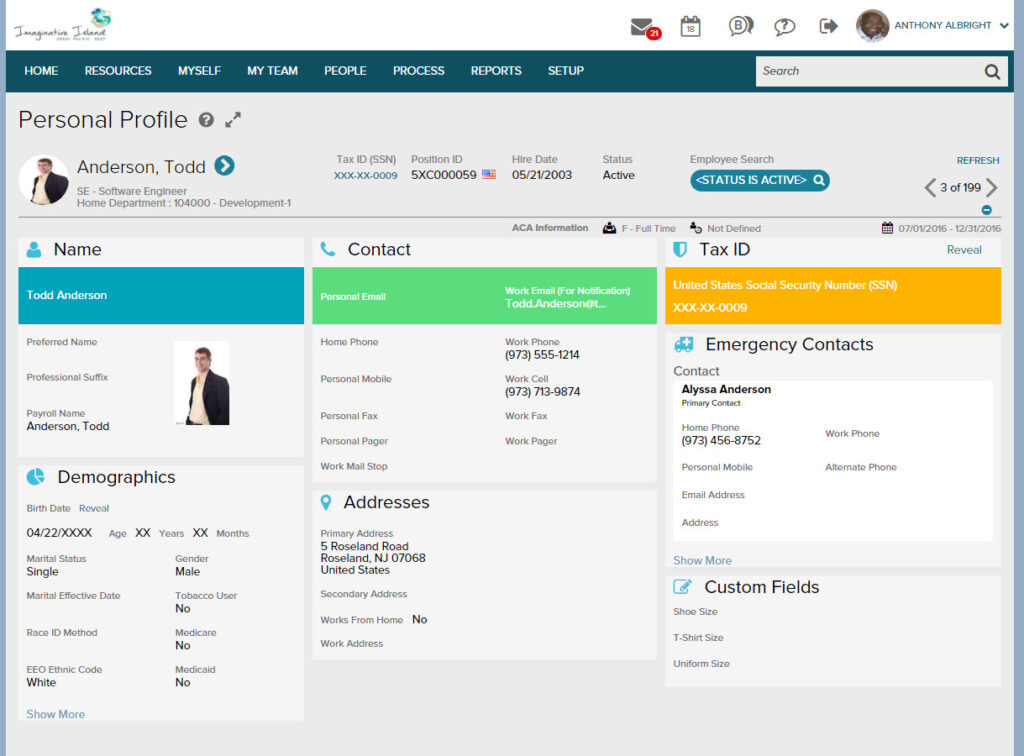
- Centralized employee directory connected to payroll and benefits records
- Org chart visualization with reporting structure data
- Time and attendance tracking integrated with employee profiles
- Talent management and performance tools
- Benefits enrollment and administration
- Compliance management and reporting for large organizations
- Mobile app for employee self-service
What it lacks: ADP’s directory is accurate but utilitarian. It’s not designed for engagement, culture-building, or AI-powered discovery. The interface reflects its enterprise origins — functional and data-rich, but not built for daily employee exploration.
Best fit: Mid-to-large organizations already using ADP for payroll and benefits that want their directory tied directly to existing HR records, without managing a separate platform.
14. Zenefits (now TriNet HR Platform)
Best for: Small businesses that want an affordable all-in-one HR and benefits solution
Zenefits — now rebranded as the TriNet HR Platform — is an HR solution built for small and growing businesses. It consolidates payroll, benefits, compliance, and employee data management into an accessible platform with a relatively low barrier to entry.
The employee directory displays basic profile information including job title, department, location, and manager — pulled from HR records to stay current with minimal admin effort.
Key Features:
- Employee directory connected to HR and benefits records
- Payroll processing and tax administration
- Benefits enrollment and administration
- PTO tracking and time management
- Compliance tools for small business HR requirements
- Onboarding workflows and document management
- Mobile app for employee self-service
What it lacks: Zenefits is a practical HR tool for small businesses, but its directory is minimal by design. No AI search, no recognition features, no org chart visualization beyond basic reporting lines. It’s best understood as an HR system that includes a directory, not a people discovery platform.
Best fit: Small businesses that need a simple, affordable HR platform and want basic directory functionality included without additional investment.
15. TINYpulse
Best for: Teams that prioritize continuous employee feedback and lightweight pulse surveys
TINYpulse is a feedback and recognition platform built around quick pulse surveys that help leaders track employee sentiment over time. It’s lightweight by design — employees receive a single question per week and can submit anonymous feedback or recognize a peer for a positive contribution.
Employee profiles in TINYpulse are minimal, primarily serving as context for recognition activity and survey responses rather than as a full people discovery tool.
Key Features:
- Weekly pulse surveys with anonymous response options
- Peer recognition through “Cheers for Peers” shout-outs
- Manager dashboards showing team sentiment trends over time
- Suggestion box for anonymous employee feedback
- eNPS tracking and benchmarking
- Integration with Slack for survey delivery and recognition sharing
- Lightweight onboarding with minimal setup required
What it lacks: TINYpulse is a survey and feedback tool, not a directory platform. Employee profiles are minimal, there’s no org chart, no people search, and no HRIS integration to keep employee data current. It belongs on this list as a culture and feedback complement — not as a replacement for a full employee directory.
Best fit: Teams that want a simple, low-friction way to gather employee sentiment regularly and celebrate peer contributions, used alongside a more complete directory platform.
How the Leading Platforms Compare
Understanding where each platform fits makes the evaluation process considerably faster. Here’s how the most commonly compared tools differ by use case.
When a Broader People Ops Platform Makes Sense
ChartHop is built for HR and People Ops teams doing complex workforce planning — headcount modeling, organizational design analysis, compensation planning, and deep HR reporting. If that’s the primary need, it’s a strong fit. Teams looking for a tool that improves how employees find and connect with each other day to day will find it’s better served by a ChartHop alternative built around people discovery rather than analytics.
When Org Chart-First Software Makes Sense
Pingboard is lightweight, easy to deploy, and gives teams a clear visual map of organizational structure. For companies whose primary need is a navigable org chart, it covers the basics. Where it falls short is depth — limited HRIS integration, no AI search, no recognition features, and minimal analytics. Teams that have outgrown it, or that encountered friction following Pingboard’s acquisition by Workleap, have found a purpose-built Pingboard alternative to be a more reliable long-term fit.
When a Name-and-Face Directory Tool Makes Sense
Tools like Names & Faces help employees learn who their colleagues are — photos, names, and basic role information in a simple, browsable format. It’s useful for onboarding familiarity in smaller organizations, but limited by design: no HRIS sync, no AI search, no analytics, no engagement features. Organizations that need more than a visual roster will quickly find themselves looking for a Names & Faces alternative with broader capability.
When a Recognition-First Platform Makes Sense
Platforms like Nectar focus on peer recognition and rewards — shout-outs, points systems, and incentives — without the people discovery and org chart capabilities of a full directory platform. If recognition is the only gap, Nectar addresses it. If you need recognition alongside a searchable directory, org chart, and AI-powered people search, that’s a different use case than Nectar is built for.
When a Modern Directory Platform Is the Better Fit
GoProfiles is designed for organizations that want a directory employees actually use. It combines AI-powered people search, org chart visibility, peer recognition, milestone celebrations, and deep HRIS integrations in an interface that works for every employee — not just the HR team that maintains it.
How to Evaluate Employee Directory Software
Start With the Primary Use Case
The most common — and most expensive — mistake in this category is buying a platform that solves the wrong problem. Three broad use cases map to meaningfully different product types: people discovery and connection, org visualization, and full People Ops administration. Be clear about which one you’re actually solving for before evaluating features.
Check Data Freshness and Maintenance Burden
A directory is only as useful as the accuracy of its data. Ask vendors specifically how information gets in and how it stays current: Does it sync automatically from your HRIS? How frequently? What triggers an update when someone changes roles, moves locations, or leaves? Platforms that depend on manual upkeep will drift out of date — and a directory employees don’t trust quickly becomes a directory employees don’t use.
Test Search and Profile Usability With Real Employees
Don’t evaluate usability by watching an administrator demo the platform. Give a regular employee a realistic task — “find a developer on the product team who speaks French” — and time it. The gap between platforms becomes obvious quickly. AI-powered natural-language search is an increasingly meaningful differentiator here: the ability to ask a plain-English question and get a confident answer is noticeably faster than navigating filter menus.
Review Integration Depth
Integrations determine whether a directory stays accurate or becomes a maintenance burden. Assess which HRIS platforms it connects with and how deeply, whether it surfaces employee data inside Slack or Microsoft 365, and — critically — what happens to directory records when someone is hired, changes roles, or is offboarded. A broad integration list matters less than reliable connections to the specific systems your organization already runs on.
Consider Rollout and Sustained Adoption
Implementation success is mostly an adoption problem, not a technical one. Platforms that give employees a reason to return — recognition features, milestone celebrations, team-building tools — tend to see sustained usage across the organization. Platforms that function only as lookup tools tend to see employees default back to Slack or email after the first week. Evaluate what keeps the directory in daily workflow, not just what makes it useful on day one.
Common Mistakes Buyers Make
Buying for Admins Instead of Employees
Most directory platforms are evaluated by HR teams and optimized for HR workflows — which means the people who choose the tool are rarely the people who need to use it most. A platform that works well for administrators but gives regular employees no reason to log in won’t deliver value across the organization. Before committing, test the platform from the perspective of someone who needs to find a coworker, not someone who manages the data.
Treating the Directory as a Static Database
A directory that isn’t connected to live HR data will drift out of date within weeks. Outdated profiles — wrong titles, departed employees, stale reporting lines — don’t just create confusion. They erode trust in the tool itself, and once employees stop believing the directory is accurate, adoption collapses quickly. Automatic HRIS integration isn’t a nice-to-have feature. It’s what determines whether the directory remains useful three months after launch.
Overbuying a Full HR Suite
Broader HR platforms often include directory functionality as an afterthought — a tab inside a system built primarily for payroll, compliance, or benefits administration. If people discovery is your primary need, a purpose-built directory tool will outperform that buried module on every dimension that matters to employees: search quality, profile richness, usability, and adoption. It will also require significantly less implementation effort to get there.
Choose the Right Platform — Then Make It Count
The right employee directory software depends on what problem you’re actually trying to solve — and being clear about that before you start evaluating will save significant time.
If you need workforce analytics and headcount planning, ChartHop is built for that. If an always-current org chart is the primary need, Pingboard covers the basics. If the goal is helping employees find each other, surface expertise, and stay connected across a distributed or hybrid organization, GoProfiles is the purpose-built choice.
For teams evaluating engagement tools like Culture Amp, 15Five, or TINYpulse: these are valuable alongside a directory, not instead of one. They measure how employees feel. They don’t help employees find each other.
The simplest test for any evaluation: put the platform in front of a regular employee, give them a realistic task, and see what happens. The best employee directory software earns its place in daily workflow because it’s useful to everyone — not just the people who maintain it.
GoProfiles combines AI-powered people search, real-time org charts, peer recognition, and deep HRIS integrations in a single platform that employees actually use. See GoProfiles in action and get started today.
Build a culture of connection and recognition with GoProfiles
Schedule a demo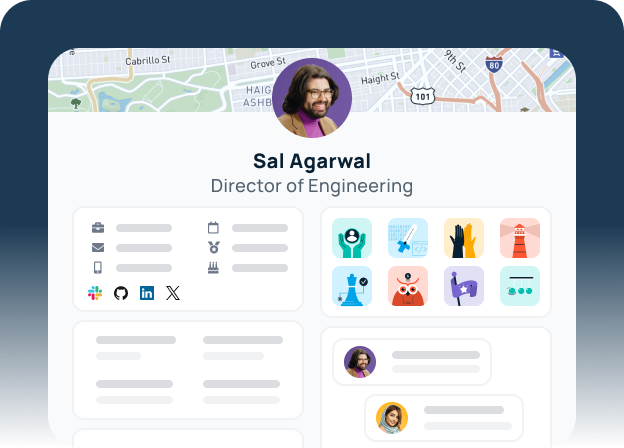
FAQs About Employee Directory Software
Employee directory software is a centralized, searchable platform that stores employee profiles and organizational data. It enables employees to find coworkers by name, role, skills, location, or other attributes — and to understand how the organization is structured. Modern platforms also include AI-powered search, HRIS integrations, org chart visualization, and engagement features like recognition and milestone tracking.
The most important features are: rich, searchable employee profiles; AI-powered or smart people search; an interactive, automatically updated org chart; deep HRIS integrations to reduce manual upkeep; role-based access controls for data governance; a mobile experience; and usability that drives daily adoption across all employees — not just HR.
Not exactly. Org chart software visualizes hierarchy and reporting relationships. Employee directory software includes org chart functionality, but extends it with searchable profiles, skills and expertise discovery, contact context, and integrations that support everyday use. An org chart answers “how is this organization structured?” A modern employee directory answers “who should I talk to, and how do I reach them?”
An HRIS is designed to manage employee records — payroll, benefits, compliance, and performance data. It’s an administrative system of record. Employee directory software is designed for discovery and access — helping employees find each other, understand the organization, and connect across teams. Some organizations use both: an HRIS as the back-end source of truth and a dedicated directory platform as the front-end experience for employees.
Yes — and it’s often most valuable in distributed settings. Features like employee maps, time zone visibility, AI-powered search, and recognition tools help remote and hybrid employees navigate the organization and build connections they’d form naturally in a shared office.