


Celebrate and incentivize your team with monetary rewards and peer recognition. Rewards allow employees to add monetary value to the bravos they’re giving to coworkers and managers.
Access Rewards Management
- From your GoProfiles dashboard, navigate to Settings in the left-hand menu and click Rewards management.
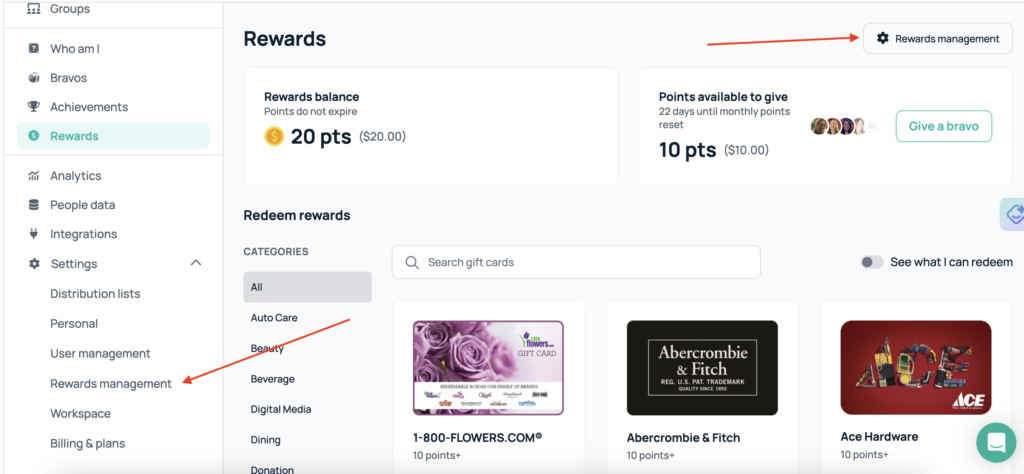
- From here, you can click the Redemption, Activity, Settings, or Funding tab.
- In the Redemption and Activity tabs, you can see your workspaces current balance and most recent activity such as points awarded and points redeemed.
- In the Settings and Funding tabs, you can decide how many points are allocated for managers and ICs (Individuals Contributors) and periodically reload points balance for your customers.
You should now be able to use Rewards Management. If you need further assistance, please consult the GoProfiles Help Center or Chat with Us.














