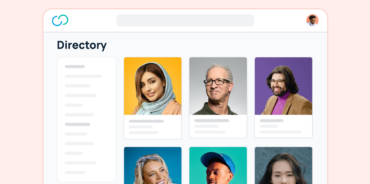



Employee profile software, also called employee directory software, gives every employee a searchable profile with their role, skills, location, and reporting line. Profile and directory tools help employees find, connect with, and recognize each other, while HRIS platforms store profiles as part of payroll and compliance records.
For hybrid and distributed teams, a searchable profile often replaces the hallway introduction.
Top picks by use case:
- Best for profiles, directory, and recognition: GoProfiles
- Best for org charts: Workleap (formerly Pingboard)
- Best for Microsoft Teams–centric organizations: Sift
- Best for small teams: Names & Faces
- Best for workforce planning: ChartHop
- Best HRIS option: BambooHR for small and mid-size businesses, Workday for enterprise
Every tool in this guide syncs with or acts as an HRIS, so compare them on what varies: AI people search, skills search, and pricing.
Employee Profile Software Comparison: 12 Tools Side by Side
We compared 12 tools on pricing, AI people search, and skills search, using vendor documentation current as of September 2026.
| Tool | Type | Best for | Pricing | AI people search | Skills search |
|---|---|---|---|---|---|
| GoProfiles | Profiles, directory, and recognition | AI people search, profiles, and recognition | Free plan; paid from $2/user/mo | Yes (Pro plan) | Yes (Pro plan) |
| Workleap (Pingboard) | Directory | Org charts and directory | Per user; see vendor | Not listed | Partial |
| Sift | Directory | Directories inside Microsoft Teams | From $150/mo | Not listed | Yes (Directory plan and up) |
| Names & Faces | Directory | Simple visual directory | From $1.50/employee/mo | Not listed | Partial |
| Jostle | Directory | Directory inside an intranet | Per user; see vendor | Not listed | Yes |
| ChartHop | Planning | Workforce planning and people analytics | Per employee; see vendor | Partial (HRIS module) | Not listed |
| BambooHR | HRIS | Core HR for small and mid-size businesses | Per employee; custom quote | Partial (Core and Pro plans) | No |
| Workday | HRIS | Enterprise HCM | Custom quote | Partial (Skills Cloud) | Yes (Skills Cloud) |
| ADP Workforce Now | HRIS | Payroll-first HR | Custom quote | Not listed | Partial |
| Lattice | Performance | Performance management | From $4/seat/mo; $4,000 annual minimum | Not listed | No |
| 15Five | Performance | Performance reviews and check-ins | From $4/user/mo | Not listed | Not listed |
| Culture Amp | Performance | Engagement surveys and feedback | Custom quote | Not listed | Not listed |
AI people search means asking natural-language questions about coworkers, such as “Who in Denver knows Salesforce?” “Not listed” means the feature doesn’t appear in the vendor’s documentation. “Partial” is explained in each tool’s review.
GoProfiles is the only tool in this comparison whose documentation lists AI people search. ChartHop, BambooHR, and Workday offer AI features with narrower scope.
When GoProfiles fits: Choose GoProfiles if you want employees to find colleagues by skill, location, or team, with profiles that update automatically from your HRIS. It also includes peer recognition and an employee map. It isn’t the right fit if you need payroll, benefits, or headcount planning. For those, pair it with an HRIS or look at ChartHop.
Try employee profiles, a company directory, and peer recognition free
Get started free with an org chart, directory, and Bravos, then add HRIS sync and AI people search when you’re ready.
Top 12 Employee Profile Software Tools
Tools appear in the same order as the comparison table: profile and directory tools, then workforce planning, HRIS, and performance platforms.
1. GoProfiles
Type: Employee profiles, company directory, and peer recognition
Best for: Companies that want employees to find colleagues by skill, location, or team, and to recognize each other’s work.
Key strengths:
- GoAI answers natural-language questions about coworkers, such as “Who in the Denver office knows Salesforce?” (Pro plan).
- Profiles include skills, interests, and custom bio fields (Pro plan).
- An org chart, directory, employee map, and Bravos peer recognition are included on every plan, including Free.
- Profiles stay current through automatic syncs with HR and IT systems on the Basic plan and up, and admins choose which HRIS sources and fields sync.
- SOC 2 Type II certified and GDPR compliant, with all traffic encrypted in transit and at rest.
Main limitation: GoProfiles isn’t an HRIS, so it doesn’t handle payroll or benefits. AI people search and skills search require the Pro plan.
Pricing: Free plan; paid plans from $2/user/month. See GoProfiles pricing.
Integrations: 50+ HRIS integrations, including ADP, BambooHR, Workday, UKG, and HiBob, plus Okta, Azure AD, and Google. Slack and Chrome apps bring profiles and recognition into daily work.
Verdict: A strong fit for companies that want employee profiles, a company directory, and peer recognition in one place, paired with an HRIS that handles the records.

2. Workleap (Formerly Pingboard)
Type: Directory
Best for: Teams that want a clean, automatically updated org chart and directory.
Key strengths:
- Org charts sync from your HRIS and update as reporting lines change.
- Private planning charts let HR model restructuring before announcing it.
- A “Who’s Who” face-matching game helps new hires learn names.
- The directory and org chart are available on iOS and Android.
Main limitation: Profiles can include skills and interests, but Workleap doesn’t document a dedicated skills search. Capterra reviewers mention clunky org chart editing and no historical view of past org charts. Legacy Pingboard customers must reconnect their integrations after migrating to Workleap.
Pricing: Per user; contact Workleap.
Integrations: ADP Workforce Now, BambooHR, Dayforce, Justworks, Namely, Paylocity, Google Workspace, Okta, OneLogin, and Slack.
Verdict: A strong choice when the org chart matters most and employees mainly look people up by name, title, or team.
3. Sift
Type: Directory
Best for: Mid-size and large organizations that work in Microsoft Teams.
Key strengths:
- Employees can search by skills, skill levels, and certifications.
- Automated org charts show dotted-line relationships and open roles.
- A Microsoft Teams app brings people search into the Teams search bar.
- Profile data can come from HR systems, Active Directory, Google, and Office 365 at once.
Main limitation: AI people search isn’t listed. Skills search and the mobile apps require the Directory plan or higher, and G2 reviewers note that profile information can go stale.
Pricing: From $150/month, billed annually. See Sift pricing.
Integrations: HR and IT systems, Active Directory/LDAP, Google, and Office 365. iOS and Android apps are included on the Directory plan and up.
Verdict: A good fit for mid-size and large companies that need expertise search, especially if employees already work in Microsoft Teams.
4. Names & Faces
Type: Directory
Best for: Small teams that want a simple visual directory.
Key strengths:
- Employees can filter the directory by name, role, team, or location.
- Custom fields can display roles, skills, locations, interests, or bios pulled from your HRIS.
- A weekly email digest highlights new joiners and upcoming birthdays and anniversaries.
- The directory and org chart are available on the web, iOS, and Android.
Main limitation: HRIS sync is limited to ADP, Paychex, and Paylocity through the Integrated plan. The flat-rate plans rely on Google Sheets or file uploads and cap headcount at 100, 200, or 1,000 people. Skills appear only as custom fields, and AI search isn’t listed.
Pricing: From $1.50/employee/month. See Names & Faces pricing.
Integrations: ADP, Paychex, Paylocity, and Google Sheets.
Verdict: A low-effort way for small teams to put names to faces without HR system complexity.
5. Jostle
Type: Directory
Best for: Companies that want a directory built into an employee intranet.
Key strengths:
- The People directory is searchable by role, location, department, and skills.
- Org charts support matrix reporting, dotted-line relationships, and project teams.
- Shout-Outs, news, and discussions sit alongside the directory.
- iOS and Android apps, plus a separate iPad app, let employees find people by role and location.
Main limitation: Jostle is an intranet first. Teams that only need a directory will pay for communication features they may not use.
Pricing: Per user; contact Jostle.
Integrations: ADP Workforce Now, Workday, BambooHR, UltiPro, PeopleSoft, Ceridian, Namely, Active Directory, Azure AD, Google, and Okta, via API or SFTP. SSO connectors are also available.
Verdict: A good fit when you’re replacing an intranet and want the directory included.
6. ChartHop
Type: Planning
Best for: People Ops and finance teams that plan headcount and compensation.
Key strengths:
- Scenario-based headcount planning shows budget impact before changes go live.
- The org chart and employee map sit alongside compensation reviews and people analytics.
- ChartHop can serve as your HRIS or sit on top of an existing one.
- Its iOS and Android app searches colleagues by name, title, department, team, and location.
Main limitation: ChartHop is built for HR and leadership rather than everyday employee connection. Skills search isn’t listed, and Ask ChartHop, its AI assistant, requires the HRIS module on both web and mobile.
Pricing: Per employee; contact ChartHop.
Integrations: ADP Workforce Now (two-way sync), Workday, SAP, Greenhouse, and 100+ HRIS, ATS, and FP&A tools.
Verdict: The choice for workforce planning, with employee profiles as supporting data.
7. BambooHR
Type: HRIS
Best for: Small and mid-size businesses that want core HR with a built-in directory.
Key strengths:
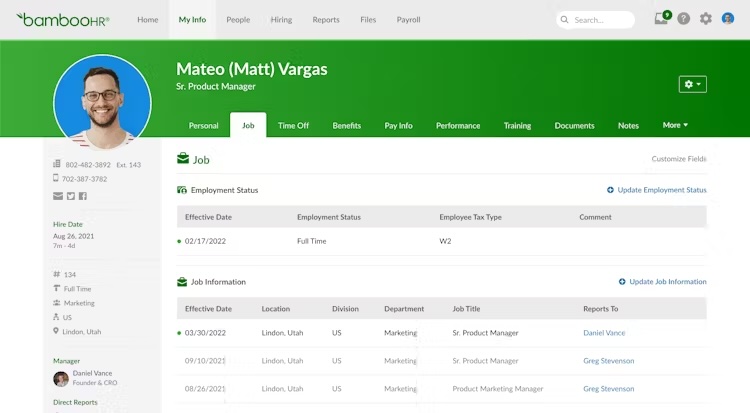
- The company directory and org chart sit under the Employees tab, and the org chart exports to PDF, PNG, or CSV.
- Ask BambooHR, an AI assistant, answers employee questions using HRIS records, the org chart, and company policies.
- Its iOS and Android app includes the company directory, searchable by name, title, department, division, and location, with SAML single sign-on.
Main limitation: Directory search doesn’t cover skills. Profiles serve HR recordkeeping more than employee connection, and an admin must turn on the directory and org chart.
Pricing: Per employee; custom quote.
Integrations: An integrations marketplace, plus payroll and benefits add-ons. Many directory tools in this list sync from BambooHR.
Verdict: A solid HR system of record. Pair it with a directory tool if employees need to search by skill.
8. Workday
Type: HRIS
Best for: Large enterprises that need a single HCM system.
Key strengths:
- Skills Cloud uses AI to infer and suggest employee skills and makes them searchable.
- Profiles connect to recruiting, learning, and Career Hub, Workday’s internal talent marketplace.
- HR, payroll, finance, and planning share one platform.
Main limitation: Skills Cloud is built for talent and recruiting decisions rather than everyday colleague lookup. Implementation is enterprise-scale, which makes Workday more platform than you need if strong profiles are the only goal.
Pricing: Custom quote.
Integrations: A broad partner ecosystem. Workleap (Pingboard), ChartHop, Jostle, and Culture Amp all sync from Workday.
Verdict: The right fit when you need one integrated HCM suite and profiles are one piece of it.
9. ADP Workforce Now
Type: HRIS
Best for: Mid-size and large businesses that run payroll through ADP.
Key strengths:
- Payroll, HR, time, talent, and benefits share a single database.
- An org chart is available under My Team.
- Talent Profiles store each employee’s skills, experience, and proficiency, with skills reports.
Main limitation: Skills live in reports rather than a directory search. Many ADP customers add an org chart or directory app from the ADP Marketplace.
Pricing: Custom quote.
Integrations: ADP Marketplace apps. Workleap (Pingboard), Names & Faces, and ChartHop all sync from ADP.
Verdict: Best when payroll and compliance come first and profiles are secondary.
10. Lattice
Type: Performance
Best for: Mid-size companies that want profiles tied to performance, goals, and 1:1s.
Key strengths:
- The org chart builds automatically from manager assignments and supports search and export.
- Profiles connect to 1:1s, goals, feedback, and reviews.
- Its iOS and Android app covers 1:1s, feedback, reviews, surveys, and the employee directory.
Main limitation: The directory searches by name only. Lattice’s pricing page no longer lists an HRIS product, and contracts carry a $4,000 annual minimum.
Pricing: From $4/seat/month, billed annually; $4,000 annual minimum.
Integrations: SSO providers, Slack, Microsoft Teams, Jira, and major HRIS platforms.
Verdict: A fit when performance management drives the purchase and the directory is a bonus.
11. 15Five
Type: Performance
Best for: Managers and HR teams running weekly check-ins and continuous feedback.
Key strengths:
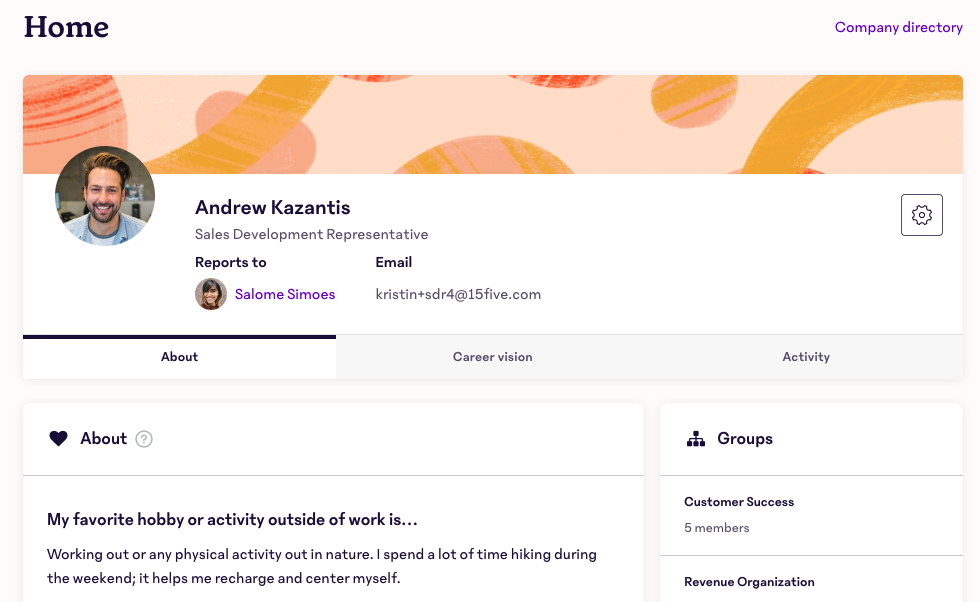
- An org chart with chart and list views shows each employee’s role, manager, tenure, and direct reports.
- Profiles display a Strengths field.
- Its iOS and Android apps handle check-ins, 1-on-1s, and High Fives, with SSO login.
Main limitation: The org chart is only available on plans that include it. Skills search isn’t documented, and HRIS integration requires the Perform plan or higher.
Pricing: From $4/user/month, billed annually. See 15Five pricing.
Integrations: HRIS and identity provider sync on Perform and up.
Verdict: Best for teams building a check-in habit, with profiles as supporting context.
12. Culture Amp
Type: Performance
Best for: Mid-size and large companies running engagement surveys and feedback programs.
Key strengths:
- Engagement, pulse, onboarding, and exit surveys come with benchmarking.
- Performance reviews and Shoutouts sit alongside the surveys.
- Native HRIS integrations keep survey populations accurate.
Main limitation: Culture Amp doesn’t document an org chart or a searchable directory. Profiles mainly hold demographic data for survey analysis and reviews, and data syncs one way from your HRIS.
Pricing: Custom quote.
Integrations: Native integrations with BambooHR, Workday, HiBob, Gusto, Personio, Namely, Paylocity, and Elmo; API connections for ADP, UKG, and SAP; SFTP for other systems.
Verdict: Choose Culture Amp for employee listening, not for helping employees find each other.
Employee Profile Software vs. Employee Directory Software
The two terms overlap, and many buyers use them interchangeably. An employee directory answers a basic question: who is this person, and how do I reach them? Employee profile software builds on the directory with skills, interests, recognition, and context, so employees can find the right person for a task instead of just a name. GoProfiles combines both, pairing a searchable company directory with detailed profiles and peer recognition.
How to Choose Employee Profile Software
Start with who will use the tool most, employees or HR, then match that to a type:
- Profile and directory tools fit when employees need to find colleagues, see skills, and recognize each other’s work.
- Planning tools fit when HR and finance need to model headcount and compensation.
- HRIS platforms fit when you need one system for payroll, benefits, and employee records.
- Performance platforms fit when reviews, goals, and feedback drive the purchase.
Many companies pair an HRIS with a profile and directory tool that syncs from it.
What Employee Profile Software Delivers
- Faster answers to “Who knows this?” Employees can search by skill or role to find the right colleague in any team or department.
- Quicker onboarding. New hires can see who their colleagues are, what they do, and how teams fit together from day one.
- Recognition people see. Peer recognition and milestone celebrations give employees a simple way to acknowledge each other’s work.
- Connection across locations. Employee maps and location details help distributed teams see who works where and when.
Key Features of Employee Profile Software
Prioritize these features when you compare tools. The first two vary the most between vendors.
AI people search: Employees ask natural-language questions about coworkers, such as “Who in Denver knows Salesforce?”, and get a direct answer.
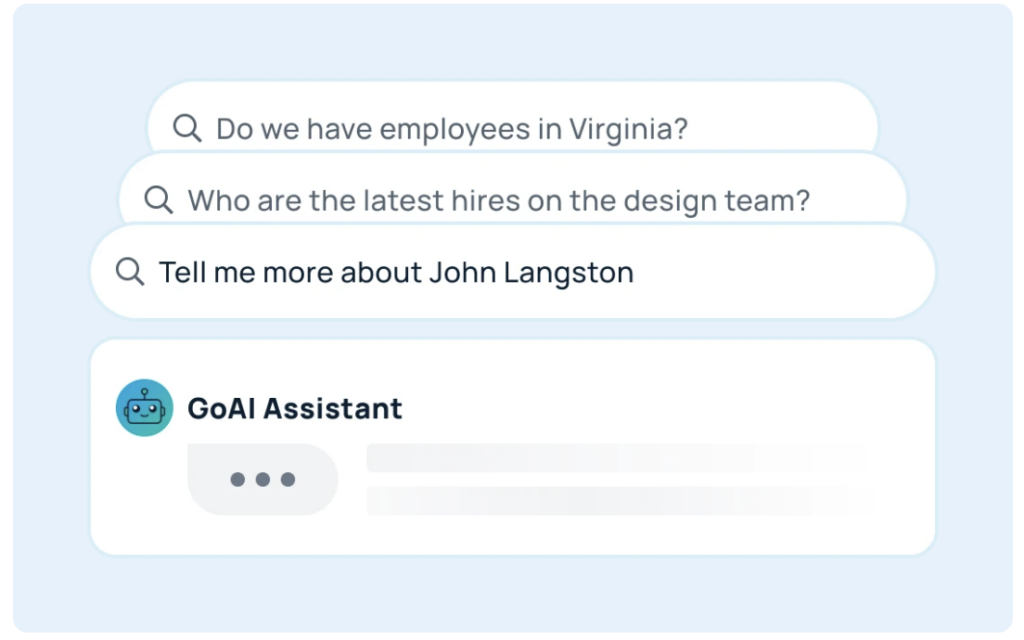
Skills search: Employees search profiles by skill, not just name or title, to find the right expert in any team.
Searchable profiles: Each profile shows role, skills, interests, location, contact details, and work anniversary, and the directory filters by name, department, team, or location.
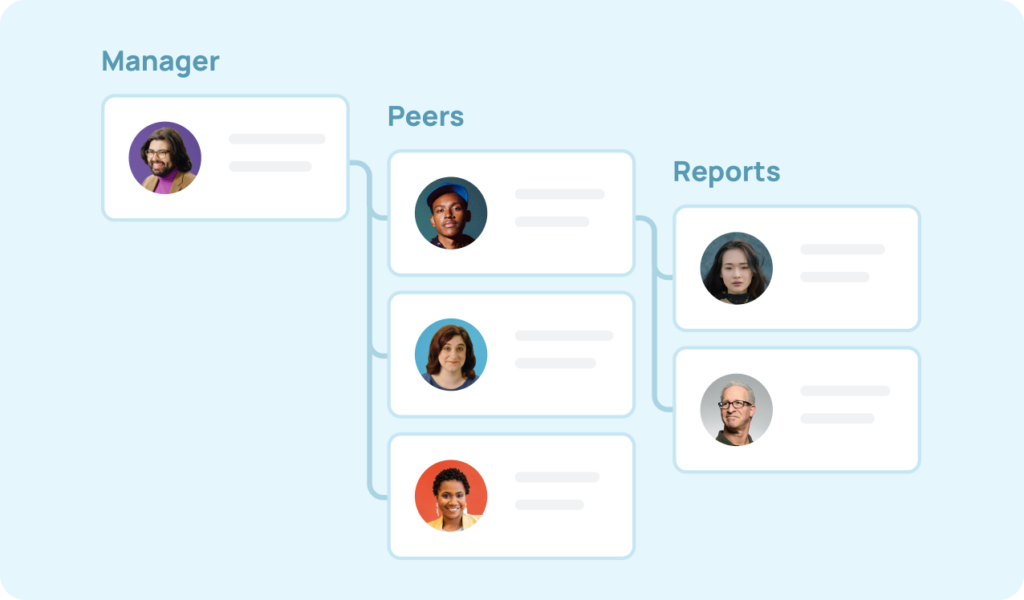
Org chart: An interactive chart shows reporting lines and team structure, and it updates automatically when managers change.
Employee map: A geographic view shows where a distributed team works, by location or time zone.
Peer recognition: Built-in badges and shoutouts let employees acknowledge each other’s work without leaving the platform.
Automatic HRIS sync: Profiles update from your HRIS, so no one maintains the data by hand. Check which fields sync and which plans include the sync.
Workplace integrations: Chat and browser integrations show profiles and recognition where people already work.
Mobile access: Employees can look up colleagues from their phones. Check which platforms each vendor supports.
Security and compliance: Look for SOC 2 Type II certification, GDPR compliance, encryption in transit and at rest, SSO, and role-based access controls.
Help Your Team Find and Recognize Each Other with GoProfiles
Contact details are only the starting point. The right employee profile software helps employees find the colleague they need, recognize good work, and feel like one team across offices and time zones.
GoProfiles brings employee profiles, a company directory, and peer recognition into one place. AI people search, an org chart, and automatic syncs with 50+ HRIS platforms keep profiles current without manual updates.
Schedule a demo to see how GoProfiles keeps your team connected as it grows.
Build a culture of connection and recognition with GoProfiles
Schedule a demo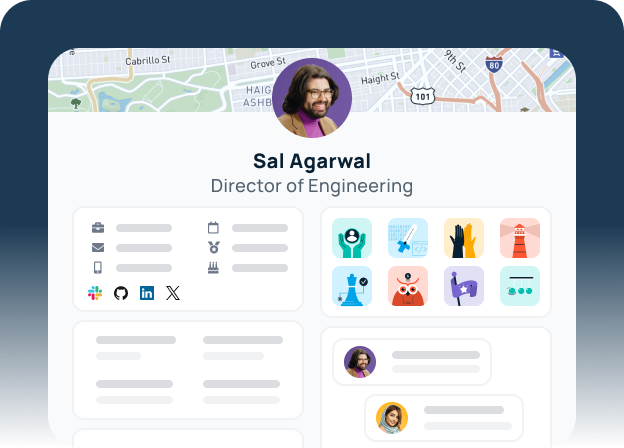
Employee Profile Software: Frequently Asked Questions
An employee profile management system stores a profile for every employee, including role, contact details, skills, location, and reporting line, and keeps those profiles current, often by syncing with an HRIS. Employees use it to find colleagues, and HR uses it to keep people data accurate in one place.
It depends on who will use it most. GoProfiles fits companies that want employee profiles, a company directory, and peer recognition in one place. Workleap (formerly Pingboard) focuses on org charts, Sift on directories inside Microsoft Teams, and ChartHop on workforce planning. For an HRIS with built-in profiles, look at BambooHR for small and mid-size businesses or Workday for enterprise. For small teams, Names & Faces and GoProfiles’ free plan are low-cost starting points.
GoProfiles is the only tool in this comparison whose documentation lists AI people search. GoAI answers natural-language questions about coworkers on the Pro plan. ChartHop, BambooHR, and Workday offer AI features with narrower scope: Ask ChartHop and Ask BambooHR answer HR questions, and Workday’s Skills Cloud infers employee skills for talent decisions.
Most directory tools filter by location and department. Skills search varies more. GoProfiles, Sift, Jostle, and Workday document it. Workleap and Names & Faces show skills on profiles without a dedicated skills search, BambooHR’s directory searches by name, title, department, division, and location, and Lattice’s directory searches by name only.
An HRIS handles the operational side of HR: payroll, benefits, compliance, and employee records. Employee profile software puts that data to work for employees, helping them find colleagues, see skills and reporting lines, and recognize each other’s work. Many companies run both, with the profile software syncing from the HRIS.
Most platforms integrate with HRIS, payroll, and identity systems, and many connect to workplace chat tools. GoProfiles syncs automatically with 50+ HRIS platforms and adds a Slack app that posts birthdays, work anniversaries, Bravos, and achievements to channels.
Pricing follows two models. Directory and profile tools usually publish per-user or per-employee rates: GoProfiles offers a free plan with paid plans from $2/user/month, and Names & Faces starts at $1.50/employee/month. HRIS and performance platforms such as Workday, ADP Workforce Now, and Culture Amp typically quote based on headcount and modules.
Look for SOC 2 Type II certification, GDPR compliance, encryption in transit and at rest, SSO, and role-based access controls. Practices vary by vendor, so ask for certifications during your evaluation. GoProfiles is SOC 2 Type II certified and GDPR compliant, encrypts data in transit and at rest, and runs each company’s instance in its own VPC.