




Quick answer: GoProfiles, ChartHop, Lucidchart, and Pingboard lead the org chart software category in 2026, depending on what you need most: GoProfiles for a live, HRIS-synced org chart inside a full employee hub; ChartHop for workforce planning and analytics; Lucidchart for manual diagramming flexibility; Pingboard for a simple directory-plus-chart. The comparison below covers all 12 tools with pricing and integrations.
Org charts used to be a slide someone updated twice a year. That model can’t keep up with how companies actually operate now — reorgs, hybrid teams, dotted-line reporting, and new hires who need to figure out who’s who in week one. Modern org chart software syncs with your HR system, updates itself when people join or move, and doubles as the place employees go to find and understand each other. This guide compares the 13 best options for 2026 across features, integrations, customization, export options, and pricing.
Org Chart Software at a Glance
| Tool | Best for | Real-time HRIS sync | G2 rating |
|---|---|---|---|
| GoProfiles | Live org chart inside a full employee hub | Yes | 4.8 |
| ChartHop | Workforce planning + people analytics | Yes | 4.3 |
| Pingboard (by Workleap) | Simple directory + org chart | Yes | 4.3 |
| OrgChart | Dedicated org chart automation for HR | Yes | 4.5 |
| Lucidchart | Manual diagramming and flexibility | Partial | 4.5 |
| Organimi | Lightweight, budget-friendly charts | No | 4.5 |
| Sift | People search + org visualization | Yes | 4.8 |
| Miro | Org charts inside a collaboration whiteboard | No | 4.6 |
| Microsoft Visio | Microsoft 365-native diagramming | No | 4.2 |
| BambooHR | Org charts inside an SMB HRIS | Yes | 4.4 |
| Rippling | Org charts inside a modern HRIS | Yes | 4.8 |
| Names & Faces | Visual people index | Yes | 4.4 |
| Creately | Templates + visual documentation | Partial | 4.4 |
What Is Org Chart Software?
Org chart software visually maps an organization’s structure — reporting lines, teams, departments, and employee roles. Modern platforms go beyond static diagrams: they sync with HR systems, update automatically, and integrate with the collaboration tools where work happens, supporting better remote team communication across distributed employees. The category overlaps heavily with employee directory and employee profile software — the best tools function as both.
That evolution is why the category matters more in 2026 than it did five years ago. Remote teams, frequent restructuring, and distributed orgs mean a static chart is stale the week it’s published. Modern org chart software now enables:
- AI-powered people search and insights
- Skill and certification search
- Real-time visibility into company structure
- HRIS-driven automatic updates
- Faster onboarding and team discovery
- Workforce planning and org design
What a Complete Org Chart Needs to Show
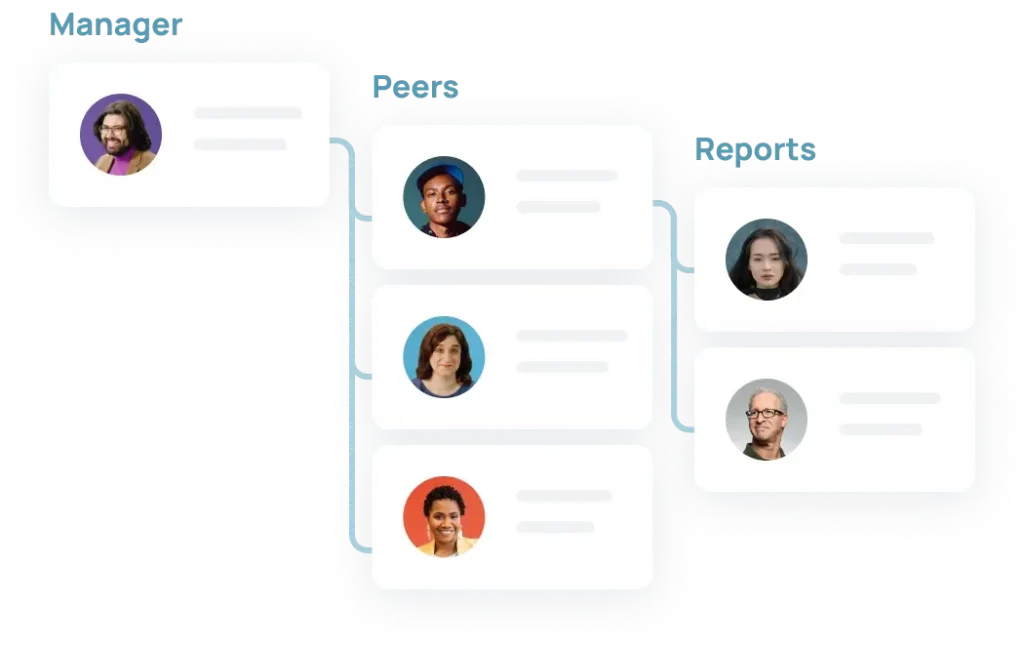
Before comparing tools, it helps to define what you’re asking the tool to produce. A complete org chart shows six things:
- Roles and titles — who each person is and what they do, not just a name in a box.
- Reporting lines — who reports to whom, rendered clearly enough to follow at a glance.
- Departments and teams — how people group into functions, and how those functions relate.
- Dotted-line and cross-functional relationships — matrix reporting, project leads, and shared resources that a rigid hierarchy view hides.
- Contact and location info — email, chat handle, time zone, and office or region, so the chart works as a directory, not just a diagram.
- Currency — the chart reflects today’s org, not last quarter’s. This is the component most tools fail on, and it’s why HRIS sync matters more than any visual feature.
Use this list as your evaluation checklist: a diagramming tool can render the structure beautifully but leaves contact details and currency to manual upkeep, while HRIS-connected platforms keep the data current automatically and vary widely on how well they handle dotted-line relationships.
What to Look for in Org Chart Software
Nine capabilities separate the tools below. Weight them by how your team will actually use the chart:
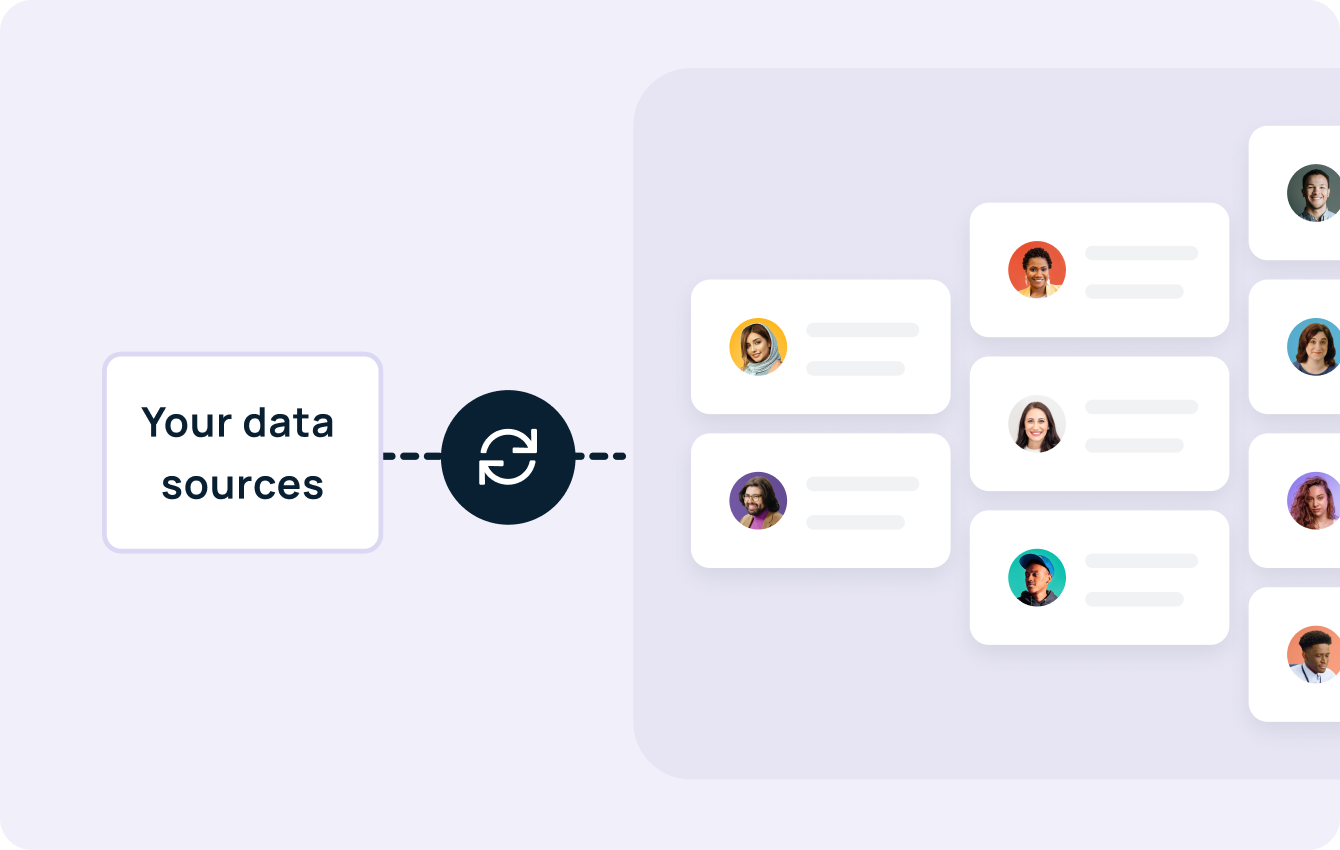
HRIS integration and automation. Does the chart build and update itself from your HR system (Workday, BambooHR, Rippling), or does someone maintain it by hand? Automatic syncs, bulk import/export, and API access decide whether the chart stays current — manual tools cost less up front and more forever.
Customization. Custom fields, department and location views, dotted-line support, flexible visualization styles, and easy restructuring when the org changes. White-labeling matters if the chart appears in board decks and onboarding docs.
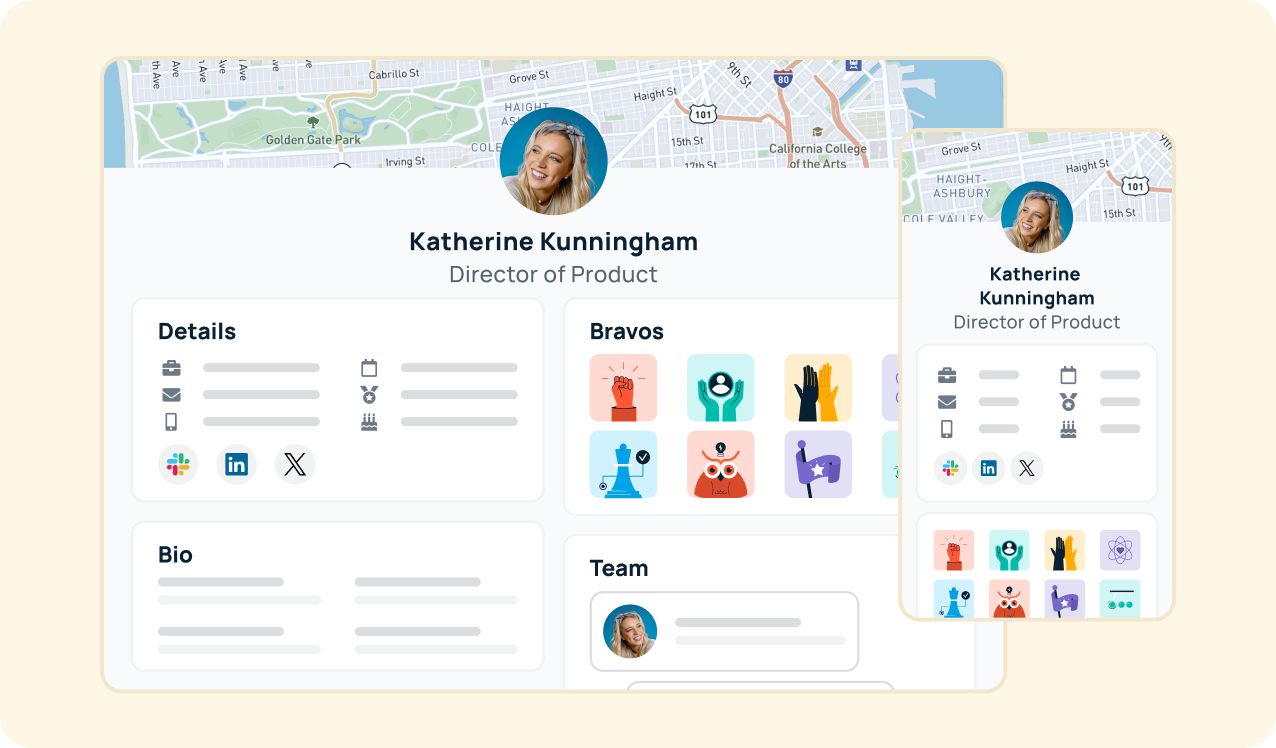
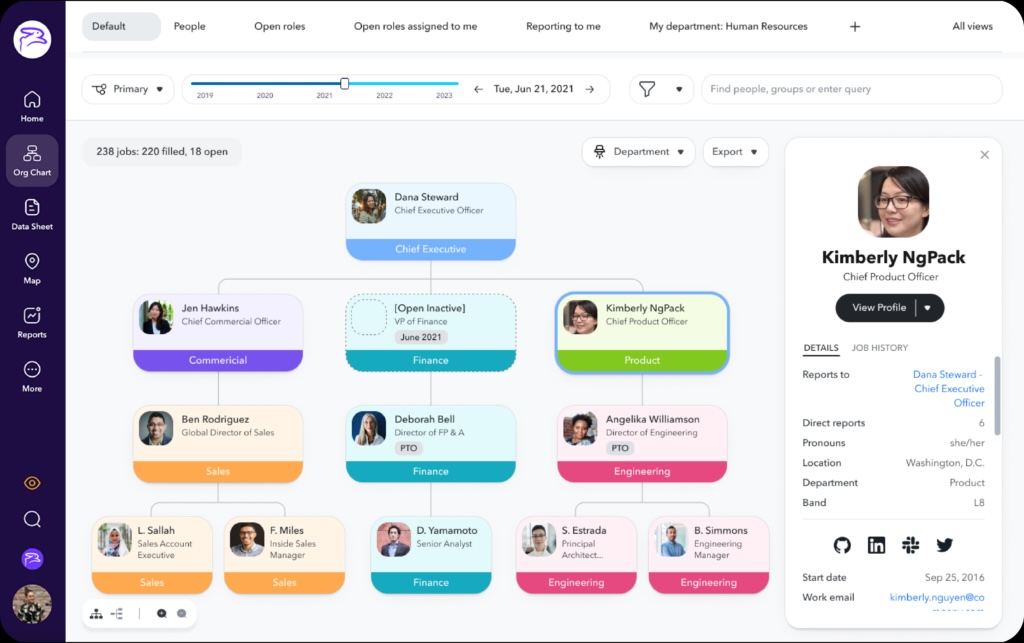
Employee profiles. The hierarchy alone answers “who reports to whom”; profiles answer “who is this person.” Look for clickable nodes that open into job title, contact info, location, work history, and bio.
Search and AI. Searchability of people and roles, plus newer AI capabilities: natural-language people search, org insights, and automated recommendations that surface answers without navigating the chart at all.
Security and permissions. Role-based access controls, data encryption, multi-factor authentication, and compliance certifications (SOC 2, GDPR) — non-negotiable once the chart carries compensation-adjacent or personal data accessed from anywhere.
Collaboration and sharing. Slack and Teams integrations, live links employees can always reach, and PDF/PNG export for presentations.
Mobility. Mobile-friendly access so distributed employees can check team structures from any device.
Data visualization and analytics. Beyond the structure itself: workforce demographics, trends, and people analytics that turn the chart into a planning tool for HR.
Price. Subscription model, free tiers, and what premium features cost. Evaluate against maintenance time too — see “How to choose” below.
The 13 Best Org Chart Software Tools for 2026
1. GoProfiles — best live org chart inside an employee hub
GoProfiles treats the org chart as a living view of your people data rather than a diagram to maintain. The chart builds and updates itself from your HRIS, and every box opens into a full employee profile — bio, skills, work history, location, recognition. Employees can also skip the chart entirely and ask GoAI directly: “who leads product marketing?” or “who was recently hired in California?”
Key features: Auto-built chart from HRIS data, compact and expanded views, dotted-line relationships, rich profiles behind every node, AI-powered people search, peer recognition (Bravos), employee map, milestone celebrations, team insights and analytics, iOS mobile app.
Integrations: 50+ HRIS platforms (BambooHR, Workday, Gusto, Rippling, Deel), Slack, Microsoft Teams, Google Workspace, Okta.
Customization & branding: Custom profile fields, department and location views, company-logo white-labeling across the org chart experience.
Sharing & export: Live in-app chart for all employees, PDF export for presentations and board decks.
Pricing: Free plan available; paid plans run $2/user/month (Basic, with HRIS sync) to $4/user/month (Pro, with GoAI), plus custom Enterprise pricing.
Best for: Modern HR teams, fast-growing startups, and any company that wants the org chart to double as its directory and connection layer — one tool employees open daily instead of a diagram HR maintains.
2. ChartHop — best for workforce planning and analytics
ChartHop has grown from org charts into a People Ops platform: headcount planning, compensation, performance, and analytics layered over the org structure. The chart is the interface to workforce data — powerful for HR and Finance, heavier than most teams need for everyday “who’s who.” Teams that want the live chart without the planning suite often compare it against lighter hubs — here’s how GoProfiles stacks up as a ChartHop alternative.
Key features: Org chart with rich data overlays, headcount planning and scenario modeling, compensation and performance modules, people analytics, employee map.
Integrations: Major HRIS and payroll systems, plus Slack.
Customization & branding: Deep — data fields, views, and scenario versions, with configuration effort to match.
Sharing & export: Role-based access controls, export for reporting.
Pricing: Custom, module-based.
Best for: HR and People Ops teams running headcount planning and comp cycles who want the org chart as their working surface.
3. Pingboard (by Workleap) — best simple directory + chart
Pingboard pairs a clean org chart with a basic employee directory. Less depth than an employee hub, more people-awareness than a diagram tool. Pingboard is now part of Workleap, which folds it into a broader engagement and performance platform — what reviewers say about Pingboard under Workleap is worth reading before committing, since the acquisition changed both the roadmap and the plan structure.
Key features: Auto-synced org chart, employee directory, employee profiles, out-of-office visibility, org planning views, iOS mobile app.
Integrations: Common HRIS and SSO providers, plus Slack.
Customization & branding: Standard views and fields; lighter customization than the platforms above.
Sharing & export: Shareable charts, print and PDF export.
Pricing: Contact Workleap; plan structure changed after the acquisition.
Best for: SMBs that want an accurate chart and directory with minimal setup.
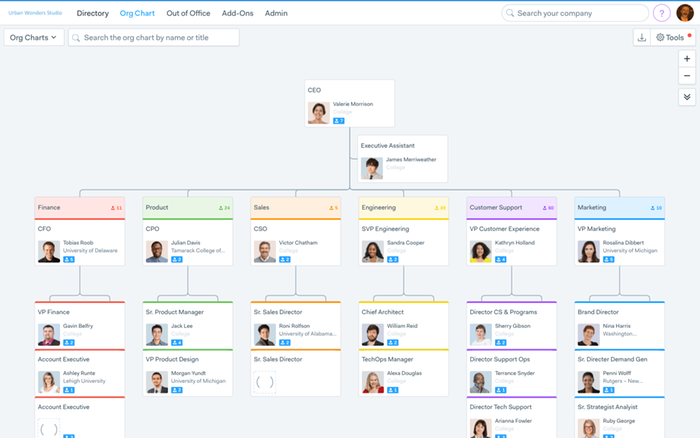
4. OrgChart — best dedicated org chart automation for HR
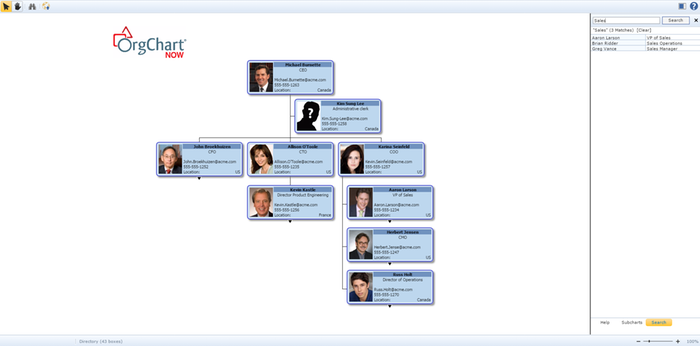
OrgChart (formerly OrgChart Now) does one job deeply: automated, presentation-ready org charts built from HR data. It connects to 50+ HR systems, keeps charts current through scheduled syncs or one-click updates, and produces tailored chart views for different audiences — leadership decks, department views, and future-state planning scenarios.
Key features: Automated chart generation, drag-and-drop restructuring, scheduled HRIS syncs, audience-specific chart outputs, workforce planning views.
Integrations: 50+ HR systems, including ADP, Workday, UKG, and Dayforce.
Customization & branding: Extensive formatting and custom chart outputs; reviewers note a learning curve to match the depth.
Sharing & export: Company-wide publishing, share links, and controlled views for sensitive data.
Pricing: Custom.
Best for: Mid-market and enterprise HR teams that need polished, always-current charts across multiple business units.
5. Lucidchart — best manual diagramming flexibility
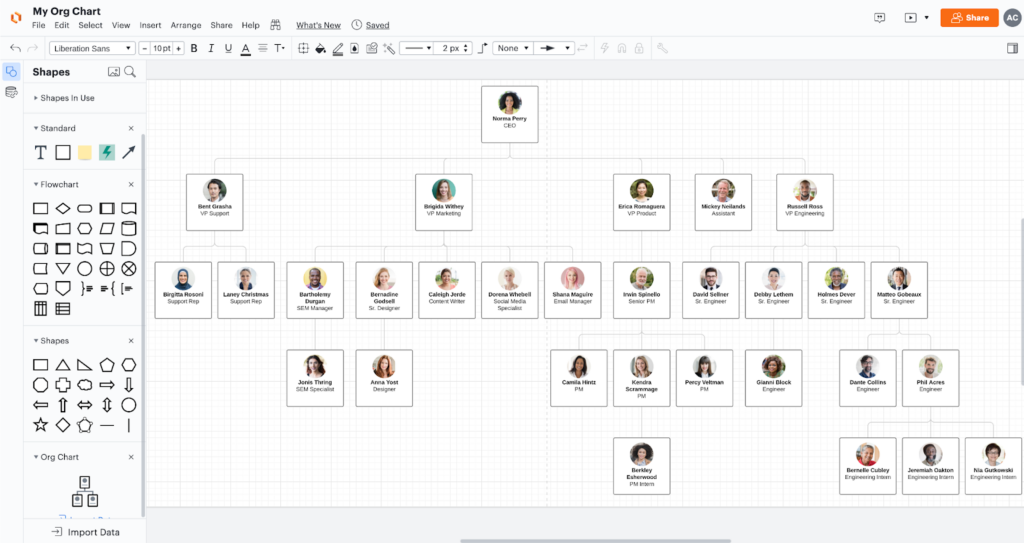
Lucidchart is a general-purpose diagramming platform with strong org chart templates and a data-import path from spreadsheets or HR exports. Total visual control; the tradeoff is that the chart is only as current as your last import.
Key features: Org chart templates, CSV and HR data import, conditional formatting, collaborative editing.
Integrations: Google Workspace, Microsoft 365, Slack, Atlassian.
Customization & branding: Effectively unlimited — it’s a canvas.
Sharing & export: Share links, embeds, PDF/PNG/Visio export.
Pricing: Free tier; paid plans priced per user.
Best for: Teams that need to design structures — reorg scenarios, proposals, non-standard layouts — rather than maintain a live people chart.
6. Organimi — best budget-friendly dedicated tool
Purpose-built org chart software at the light end: import a spreadsheet, get a chart, share it. Photo directories, custom fields, role-based permissions, and robust printing options cover the essentials without platform overhead.
Best for: Small teams and consultants producing charts without platform overhead.
7. Sift — best people search + org visualization
Sift centers on people search — skills, experience, projects — with org visualization attached. Philosophically closest to GoProfiles’ directory-first approach, without the recognition layer.
Best for: Larger organizations prioritizing expertise discovery.
8. Miro — best org charts inside a collaboration whiteboard
Org chart templates inside an infinite canvas. Great for workshop-style org design sessions; not a system of record.
Best for: Teams that already live in Miro and need occasional org mapping.
9. Microsoft Visio — best for Microsoft 365
The legacy standard: deep diagramming, Excel data import, familiar to enterprise IT. Integrates with the rest of Microsoft 365 and its cloud storage; collaboration feels dated relative to newer tools.
Best for: Enterprises standardized on Microsoft 365 with existing Visio licenses.
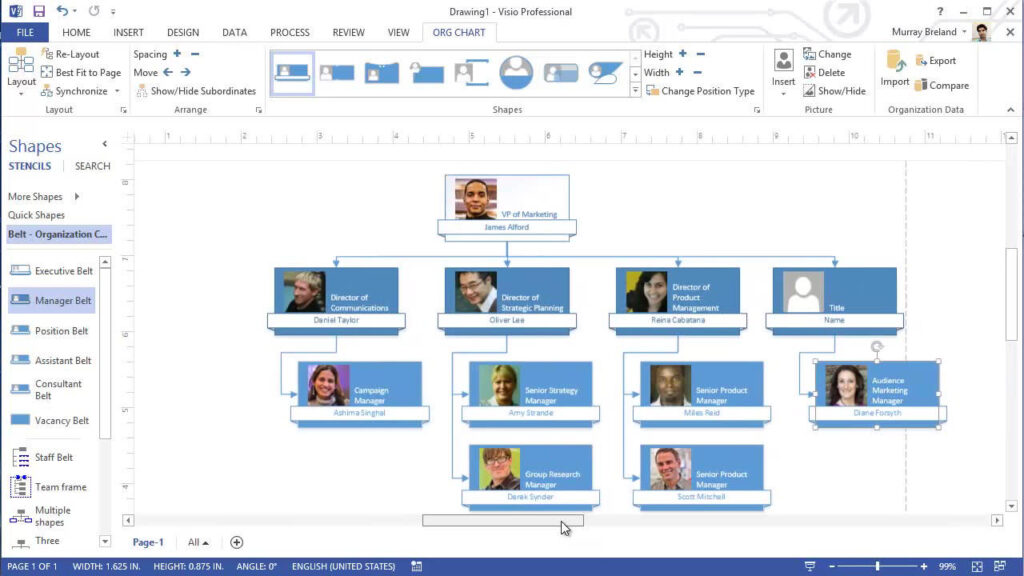
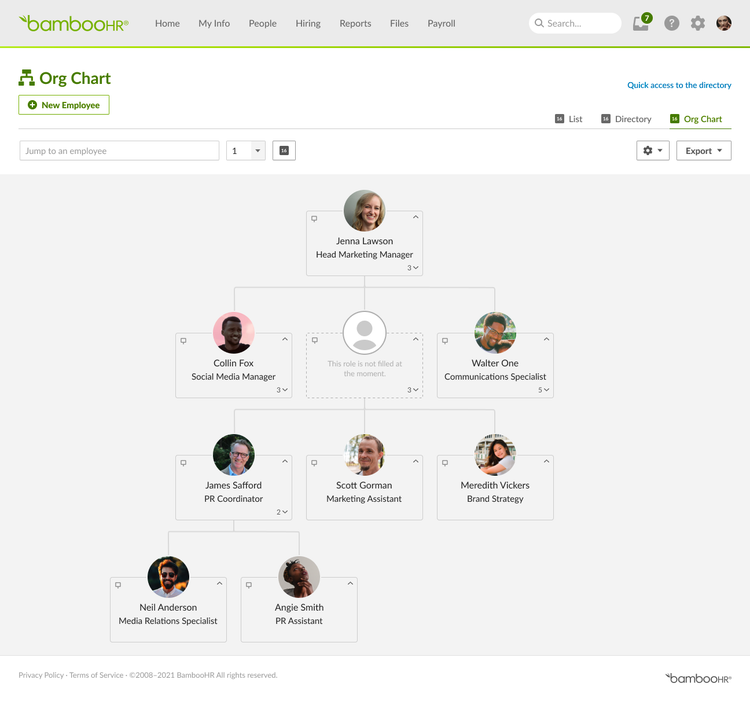
10. BambooHR — best org chart inside an SMB HRIS
If BambooHR is already your HRIS, its built-in org chart may be enough — auto-generated from the employee data it already manages, always current, with limited visual flexibility.
Best for: BambooHR customers who need accuracy over presentation.
11. Rippling — best org chart inside a modern HRIS
Same logic at the modern end: the org chart is a byproduct of the employee graph Rippling already maintains.
Best for: Rippling customers; not worth adopting for the chart alone.
12. Names & Faces — best visual people index
Turns HR data into a fast, photo-first index of people with org context. Narrow and good at it.
Best for: Large or frontline-heavy organizations where recognizing people is the core problem.
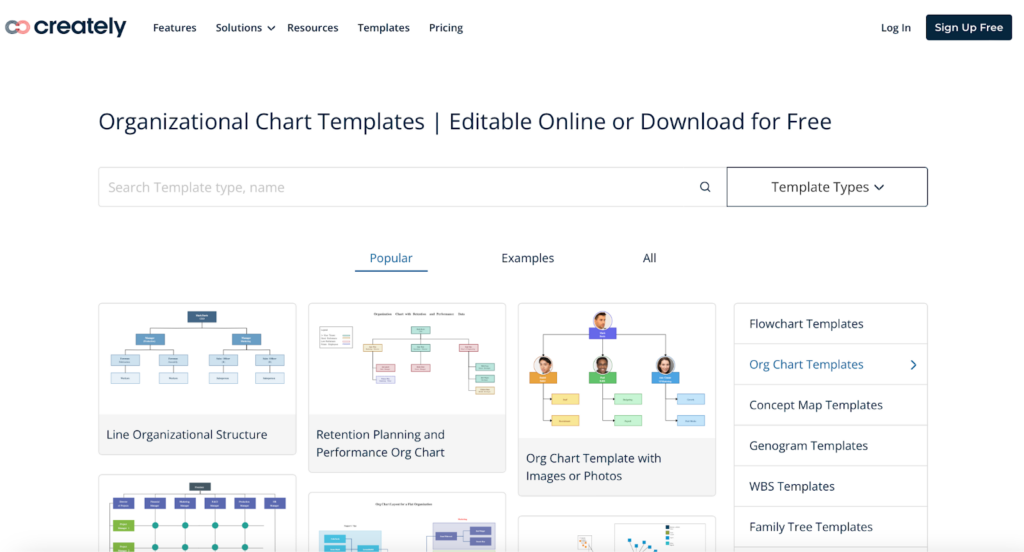
13. Creately — best templates and visual documentation
Diagramming platform with org chart templates, data-linked shapes, and extensive shape libraries; a Lucidchart alternative at a different price point.
Best for: Teams wanting diagram flexibility on a budget.
Best Org Chart Software by Use Case
- Best for HR teams: GoProfiles, ChartHop, BambooHR
- Best for enterprises: GoProfiles, ChartHop, OrgChart
- Best for small businesses: GoProfiles, BambooHR, Organimi
- Best for real-time org updates: GoProfiles
- Best for visual design control: Lucidchart
How to Choose the Right Org Chart Software
- Live or drawn? If the chart must always be current, shortlist HRIS-synced platforms (GoProfiles, ChartHop, OrgChart, Pingboard, or your HRIS’s built-in). If you’re designing structures, shortlist canvases (Lucidchart, Miro, Visio, Creately).
- Who opens it? A chart for HR planning (ChartHop, OrgChart) is a different product than a chart every employee uses to find colleagues (GoProfiles, Sift, Names & Faces).
- Check the integration list against your stack first. An org chart tool that doesn’t sync with your HRIS is a manual tool with extra steps.
- Price the maintenance, not just the license. Manual tools shift cost from subscription to someone’s time — the “cheaper” option often isn’t.
How to Create an Org Chart for Your Organization
The fastest path is software that builds the chart for you:
- Choose the right software. Match a tool from the list above to your needs using the nine criteria — HRIS integration and automation matter most, since they determine whether the chart maintains itself.
- Input employee data. Connect your HR system so names, titles, departments, and reporting lines sync automatically; manual entry or spreadsheet import works for tools without HRIS connections, but you’ll own every future update.
- Share and access. Publish the chart where employees already work — Slack, Teams, or a live link — and confirm it’s reachable from any device.
See Your Org Chart Build Itself
Give your team an easier way to visualize organizational structure, access employee information, and connect across departments. Schedule a GoProfiles demo to see a live, AI-powered org chart built from your own HR data.
Build a culture of connection and recognition with GoProfiles
Schedule a demo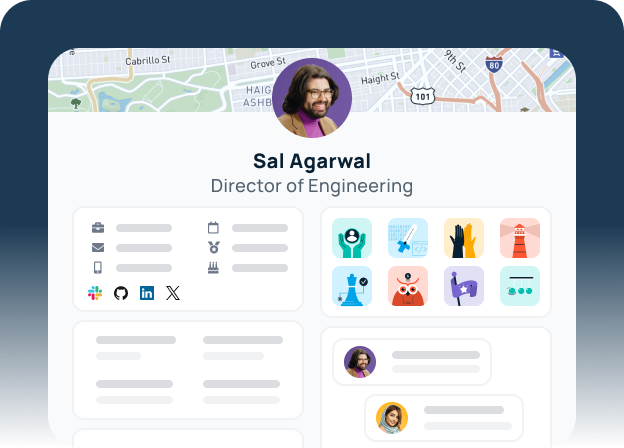
Frequently Asked Questions About Org Chart Software
GoProfiles is the strongest choice for a live, HRIS-synced org chart that employees use daily, because the chart connects to full profiles, AI people search, and recognition in one hub. ChartHop leads for workforce planning, and Lucidchart leads for manual diagramming. The right pick depends on whether you need a living system or a drawing tool.
A complete org chart shows roles and titles, reporting lines, departments, dotted-line relationships, contact and location details, and — most importantly — current data. Software that syncs with your HRIS keeps that last component accurate automatically.
Yes. GoProfiles offers a free plan that includes an org chart, employee directory, employee map, and peer recognition. Lucidchart and Creately offer free tiers for basic diagrams, and Canva and Google Slides templates work for one-off static charts. Diagram-based free options require manual upkeep; GoProfiles’ free plan builds the chart from imported people data, and its paid plans add automatic HRIS sync.
Factor in maintenance time, not just license price. Auto-synced platforms with published pricing (GoProfiles starts free, with HRIS-synced plans from $2/user/month) typically cost less in practice than free tools someone updates by hand — and less than custom-quoted enterprise modules for teams that only need the chart.
Reputable platforms offer role-based access controls, data encryption, multi-factor authentication, and compliance certifications such as SOC 2 and GDPR to protect employee information.
Org chart software visualizes the reporting hierarchy; employee directory software provides quick access to individual employee information. The strongest platforms combine both functions in one tool.