


Celebrate and incentivize your team with monetary rewards and peer recognition. Rewards allow employees to add monetary value to the bravos they’re giving to coworkers and managers.
How to Redeem Rewards
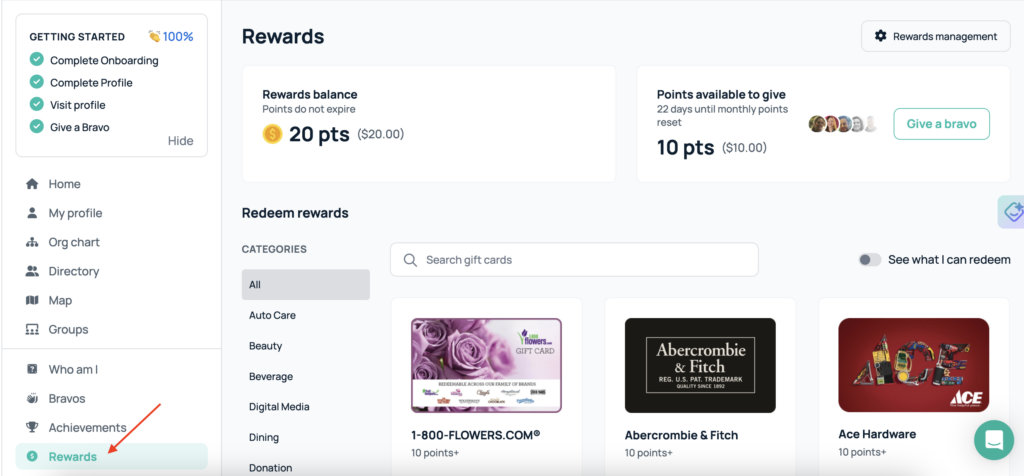
- On the left-hand rail, click the “Rewards” section.
- You will be taken to your rewards dashboard.
- From your rewards dashboard, you can:
- View your balance
- See the points available to give
- Browse the gift cards available to redeem
- Here, you can search through the gift card catalog and filter by which ones are available to redeem based on your current balance.
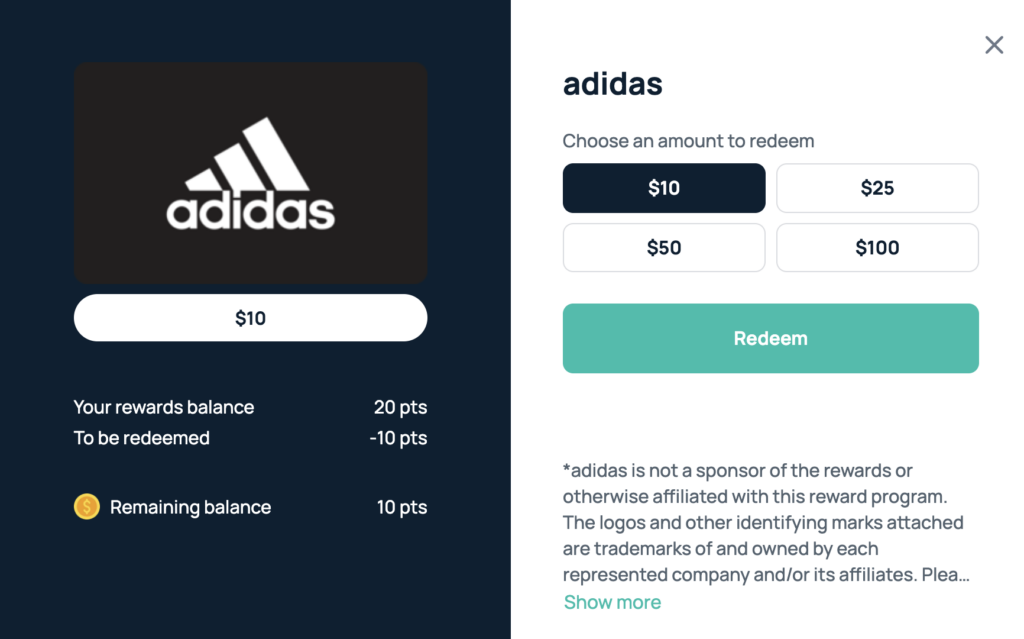
- Once you have selected a gift card, you can select various redemption amounts and you’ll get the information in your email shortly.
Rewards are configured and determined by your admin team. If you don’t see rewards available on your dashboard, feel free to reach out to your admin to confirm availability.
You should now be able to use Rewards. If you need further assistance, please consult the GoProfiles Help Center or Chat with Us.














