


If you are trying to invite users to your GoProfiles workspace using Google Directory and are running into issues, ensure these settings are activated so Google Directory allows GoProfile proper access.
Access Google Directory Data
When using Google Directory, ensure that within the Google Admin Panel “external directory sharing” and “contact sharing” are both enabled. Instructions can be found here.
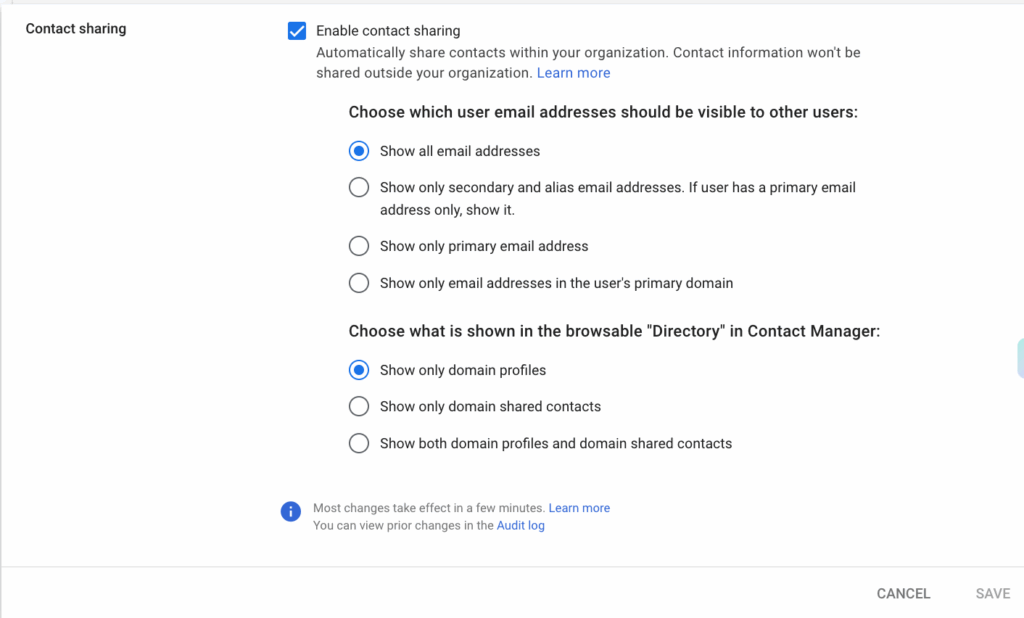
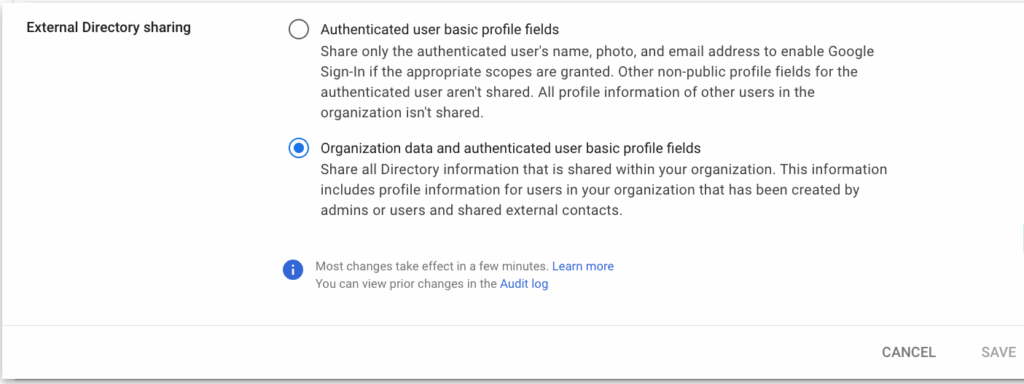
Now you should be able to use Google Directory to invite new team members to your GoProfiles workspace. If you need further assistance, please consult the GoProfiles Help Center or Chat with Us.














