


This article is meant to assist with explaining how to find your Sage HR Subdomain and API key in order to better assist with connecting your data source to GoProfiles with your Customer Success Manager.
API documentation
Sage HR provides a public REST API that can be used to connect to other systems and get all the information at your fingertips. Your Sage HR company has an individual API service that supports all public endpoints.
You can access Sage HR’s API documentation, browse the endpoints and data samples through the Sage HR API Documentation.
Prerequisites
Please ensure you are an Admin to enable API access.
How to start using Sage HR API
- Click on your name on the top right, then click Settings.
- On the settings menu, click INTEGRATIONS, then click API.
- Click ENABLE API ACCESS to activate access to API and provide you with your unique API key.
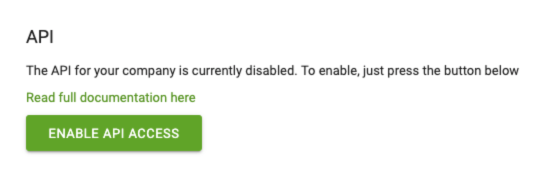
How to access and authenticate to Sage HR API from an external system
Note: The Sage HR authentication scheme uses an API key. If an administrator user loses their admin permissions, their API key will be invalidated.
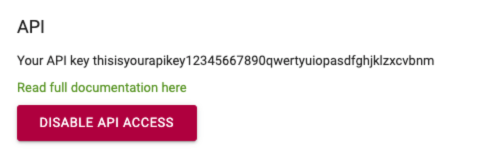
An API key is a mandatory detail that should be passed in X-Auth-Token header with every request sent to the endpoint URL. Once generated, the API key will not change, but it will always remain unique to your user. However, disabling and enabling your API access again will generate a new API key for every user of your Sage HR account.
You should now be able to set up the Sage HR Data Connector with your Customer Success Manager. If you need further assistance, please consult the GoProfiles Help Center or Chat with Us.














