GoLinks

Turn any link into a go/link, share it instantly, and skip the searching.

Human-readable links • Easy recall • Instant sharing • Works with any app • Always up to date

Discover GoLinks
GoSearch

Search your company knowledge, get instant AI answers, and automate the work.

100+ Connectors • AI answers • Enterprise search • Custom agents • Workflow automation

Discover GoSearch
GoProfiles

Discover teammates, understand your org, and recognize great work.

Org visibility • Employee profiles • Peer recognition • Expertise finder • Celebrations • Slack & Teams

Discover GoProfiles

Kallidus Data Connector Instructions

This article is meant to provide you insight on what you should expect to see when attempting to connect your data source with GoProfiles with your Customer Success Manager. Reading this prior to connecting the two platforms can help you walk through the API access smoothly.

Overview

To authenticate Kallidus (formerly known as Sapling), you will need to provide the following information:

  • Subdomain
  • API key

This guide will walk you through finding or creating those credentials within Kallidus.

Instructions

Step 1: Enter your Kallidus subdomain in the linking flow
  1. Enter company-name for company-name.saplingapp.io
    • Do not enter {companydomain}.saplingapp.io
entering your sapling subdomain
Step 2: Find your API key in Kallidus
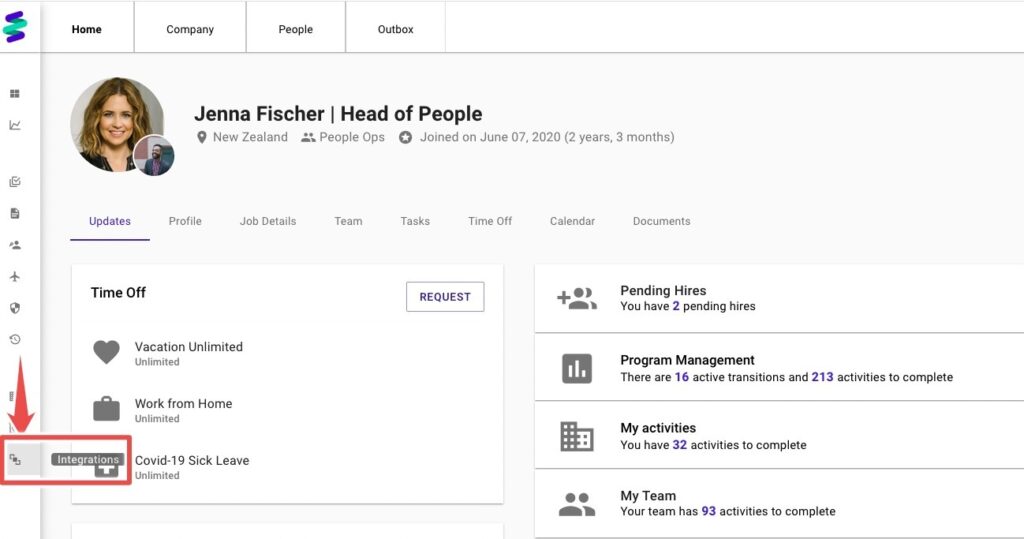
  1. In Kallidus account, find Integrations.
    ​
integrations on the kallidus/sapling dashboard
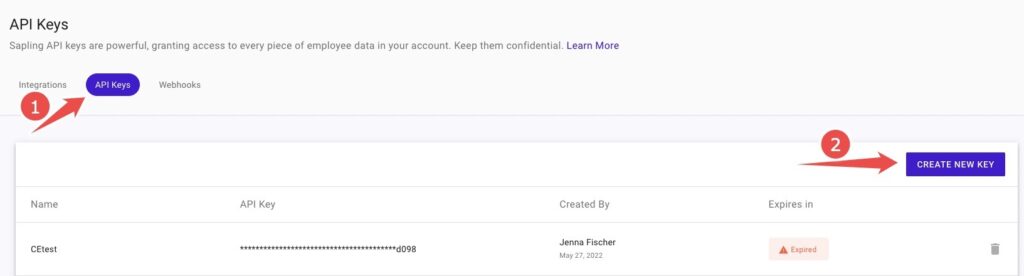
  1. Open API Keys, Create New Key.
creating a new api key
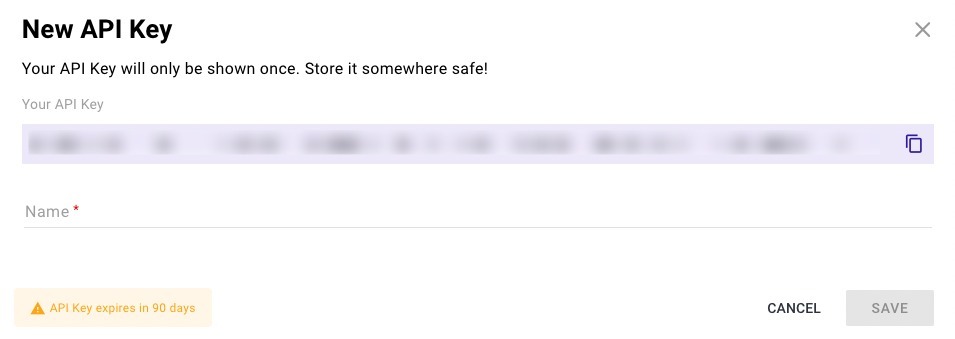
  1. Copy the API Key, Name it, and Save.
    ​
new api key
Step 3: Enter your API key in the linking flow
entering your sapling api key

You should now be able to set up the Kalidus Data Connector with your Customer Success Manager. If you need further assistance, please consult the GoProfiles Help Center or Chat with us.

Need more help?

Technical support

Send us your technical inquiries

Contact us →
Contact sales

Demo or answer sales questions

Contact sales →
Chat with us

Get quicker responses with chat

Chat now →
Blog

GoProfiles and productivity articles

View blog →
Box vector large Box vector medium Box vector small

Connect employees with AI profiles and rewards

Connect employees with AI profiles and rewards